
When running a business it's inevitable that some percentage of payments will be declined. This article outlines what happens when a payment fails and the steps taken to change and account's billing stage to Past Due or Canceling when this occurs
Declines come directly from Stripe
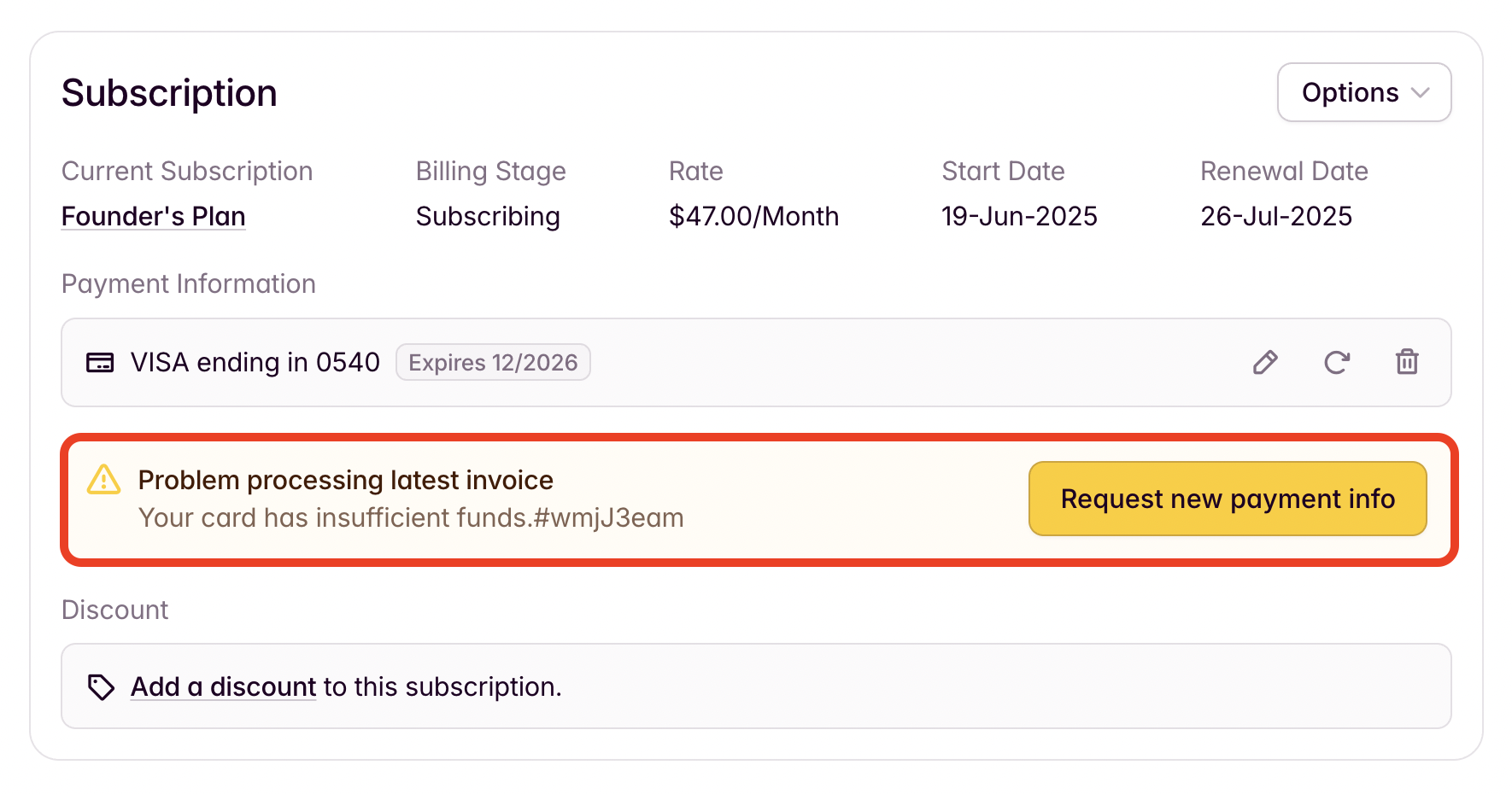
If a payment fails, it's Stripe that has declined the payment rather than Outseta. There will be an error message on the customer's Account record indicating why Stripe declined the payment.
A list of Stripe's decline codes can also be found here.
What happens when payments fail
When a payment fails, you'll want to use a multi-pronged approach to both notify the customer of the payment failure and also use automated processes to collect the failed payment as effectively as possible. This will include:
- Automated attempts to collect the failed payment
- Automated emails to the customer
- Locking the customer out of their Outseta account until they've paid
Automated collection attempts
Within your Stripe account, search for REVENUE RECOVERY and then click RETRIES.
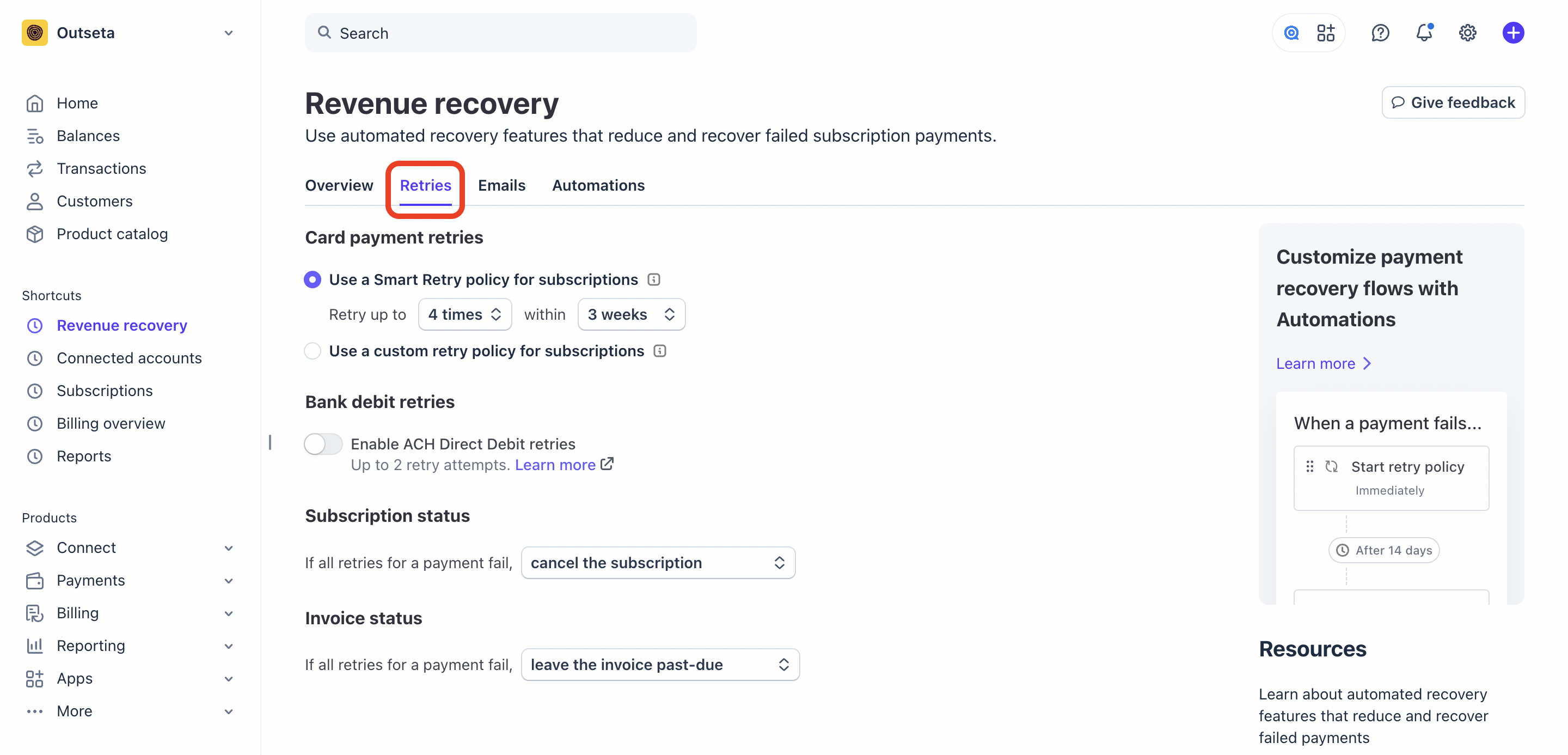
You can use the settings on this page:
- To configure how many automated collection attempts are make and over what time period.
- To determine what happens to the subscription if all payment attempts fail.
- To determine what happens to outstanding invoices if all payment attempts fail.
For further guidance on these features, please refer to Stripe's documentation: Automatic collection
Automated dunning emails
Within your Stripe account search for REVENUE RECOVERY and then click EMAILS.
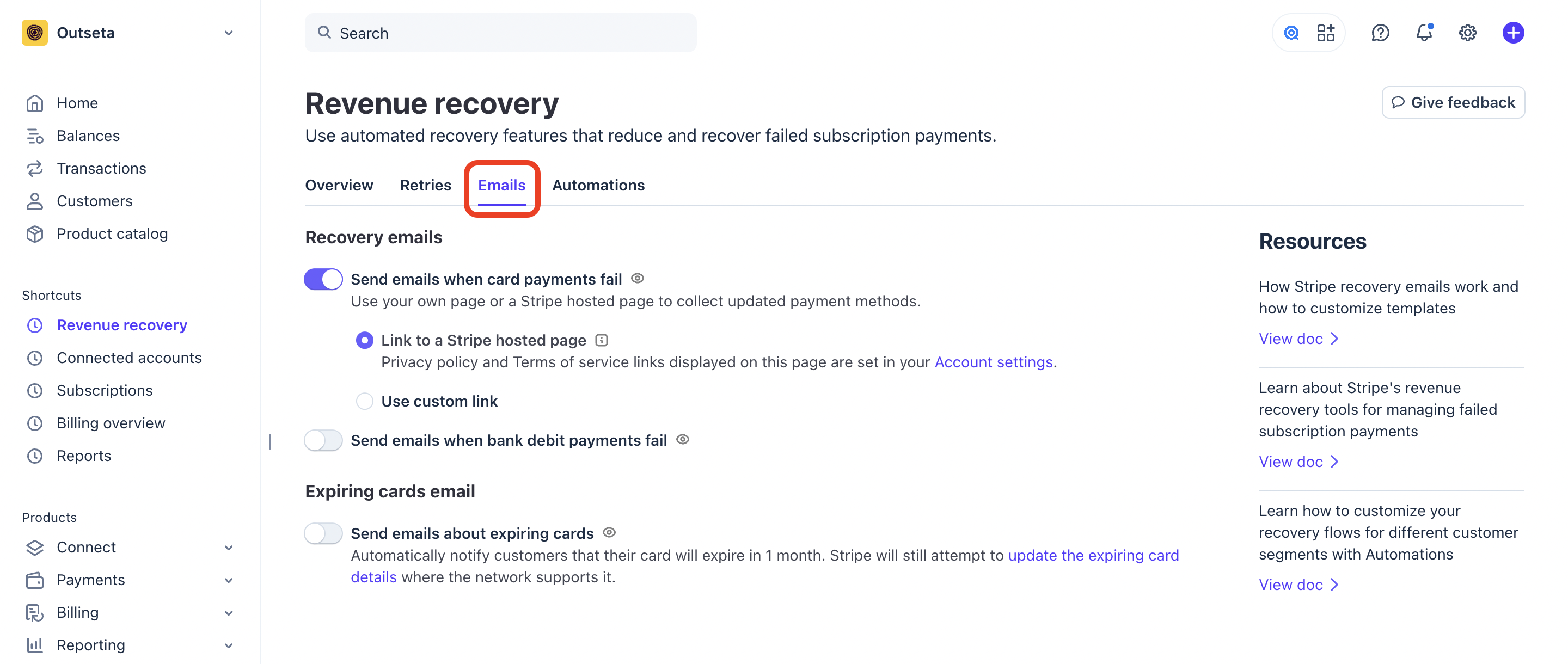
On this page you can enable features that automatically email customers when their payment fails, encouraging them to rectify the issue so that their payment can be processed.
When you enable this setting, Stripe automatically sends an email to your customer after each failed payment. The email lets your customer know that their recent subscription payment failed and gives them the opportunity to update their payment method so it can be retried successfully.
For further guidance on these features, please refer to Stripe documentation: Automate customer emails
Past due accounts lose login access
Accounts move to a Past Due billing stage in Outseta when payment for any invoice pertaining to the account fails.
Once the account is Past Due, users will be blocked from logging into their account. If they try to login, they'll be prompted to update their payment information and any previously UNPAID invoices that have not been marked as "Uncollectible" or "Void" will be collected.
Once the outstanding invoices have been collected, the account's billing stage will change back to Subscribing and the user will be able to login normally.