
You may want to offer a some users demo accounts or free access to your paid plans. For example, this is common with family and friends, early adopters, or beta testers.
Follow the steps outlined below to setup demo accounts.
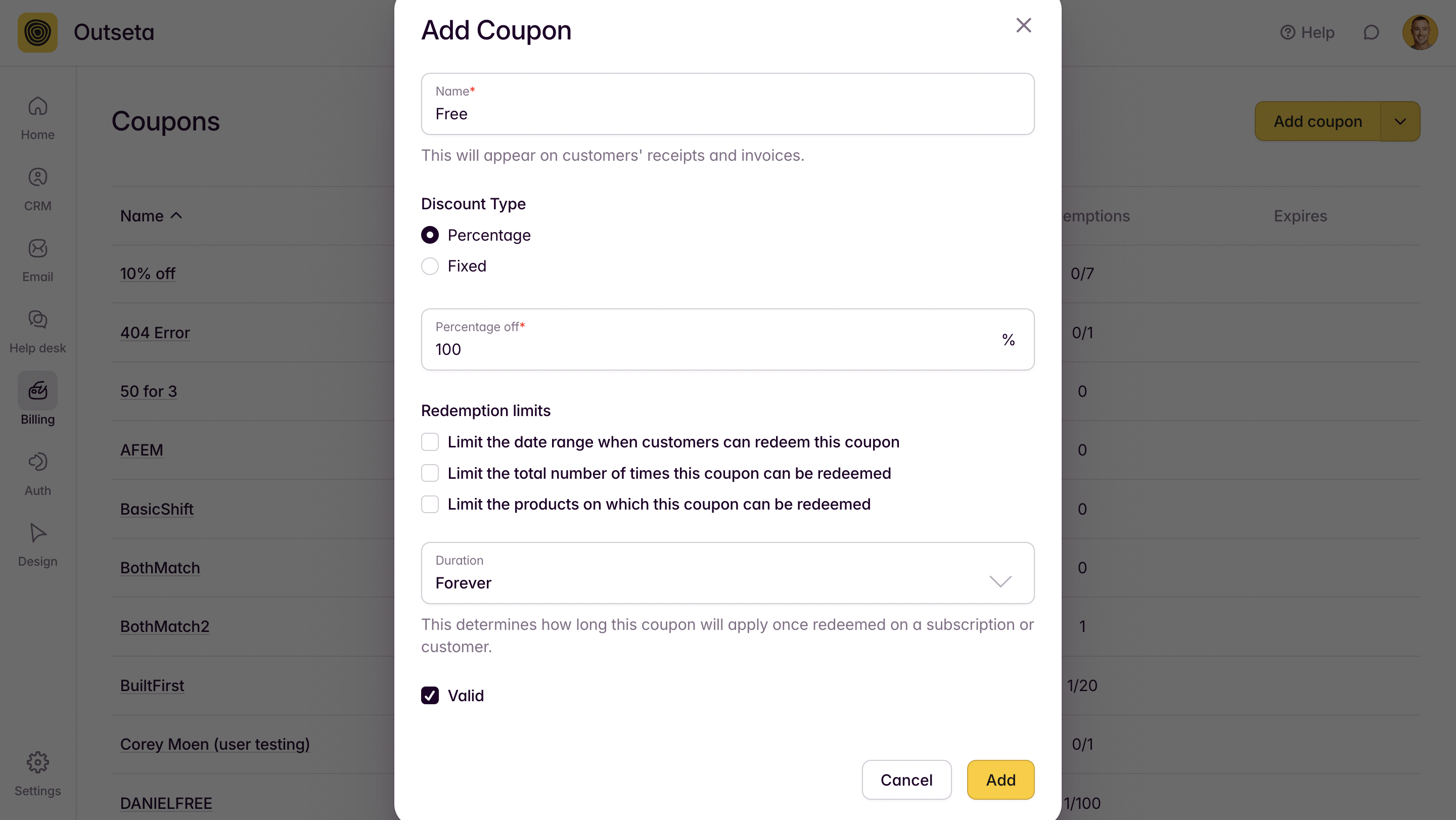
1. Navigate to BILLING > COUPONS and create a 100% off coupon with a duration of "Forever."
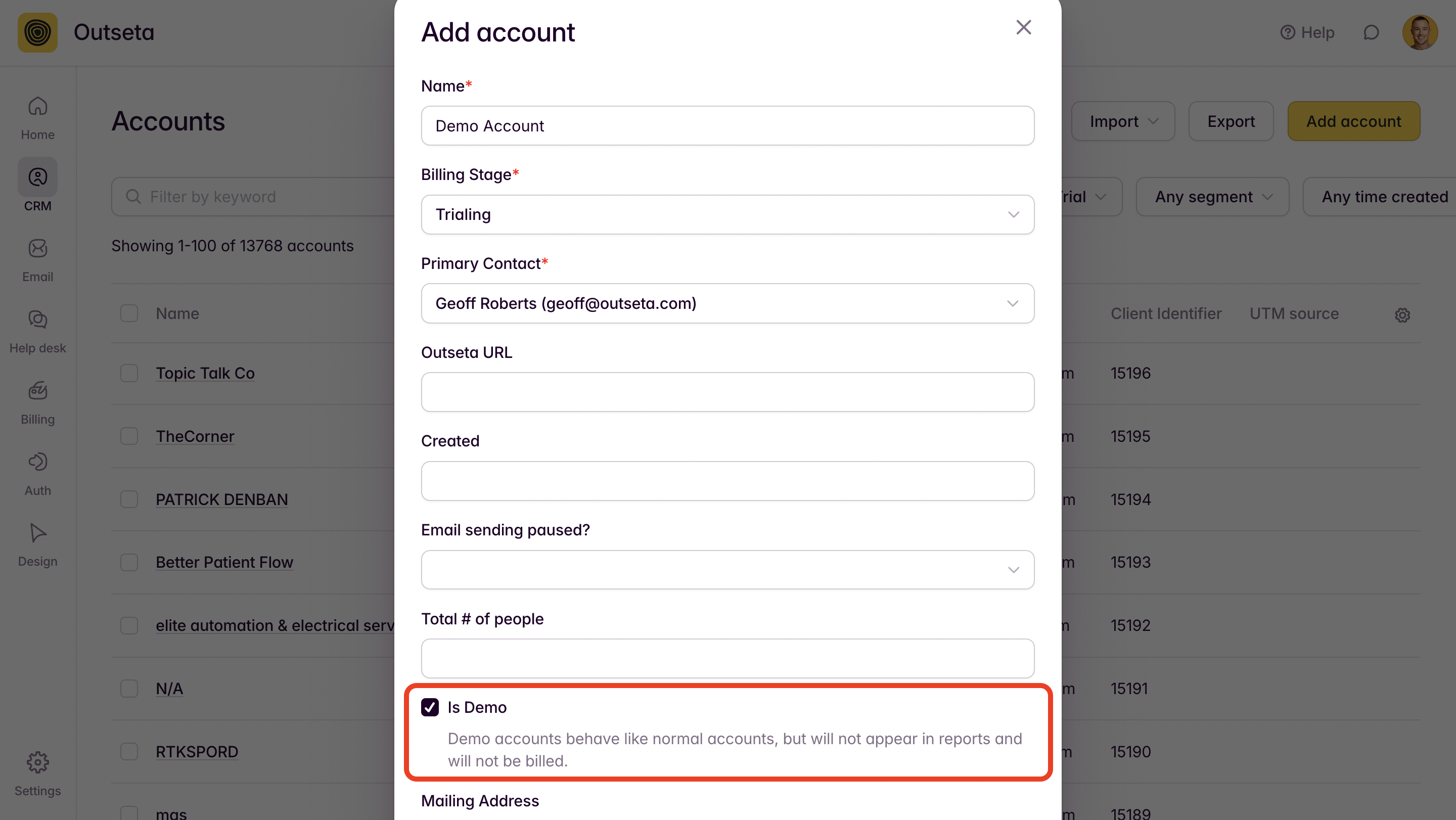
2. Click on CRM > ACCOUNTS and create an account for the user. Choose the "Is Demo" option when you do so—this will filter the account out of all your reporting. The billing stage that you choose does not matter. Click ADD.
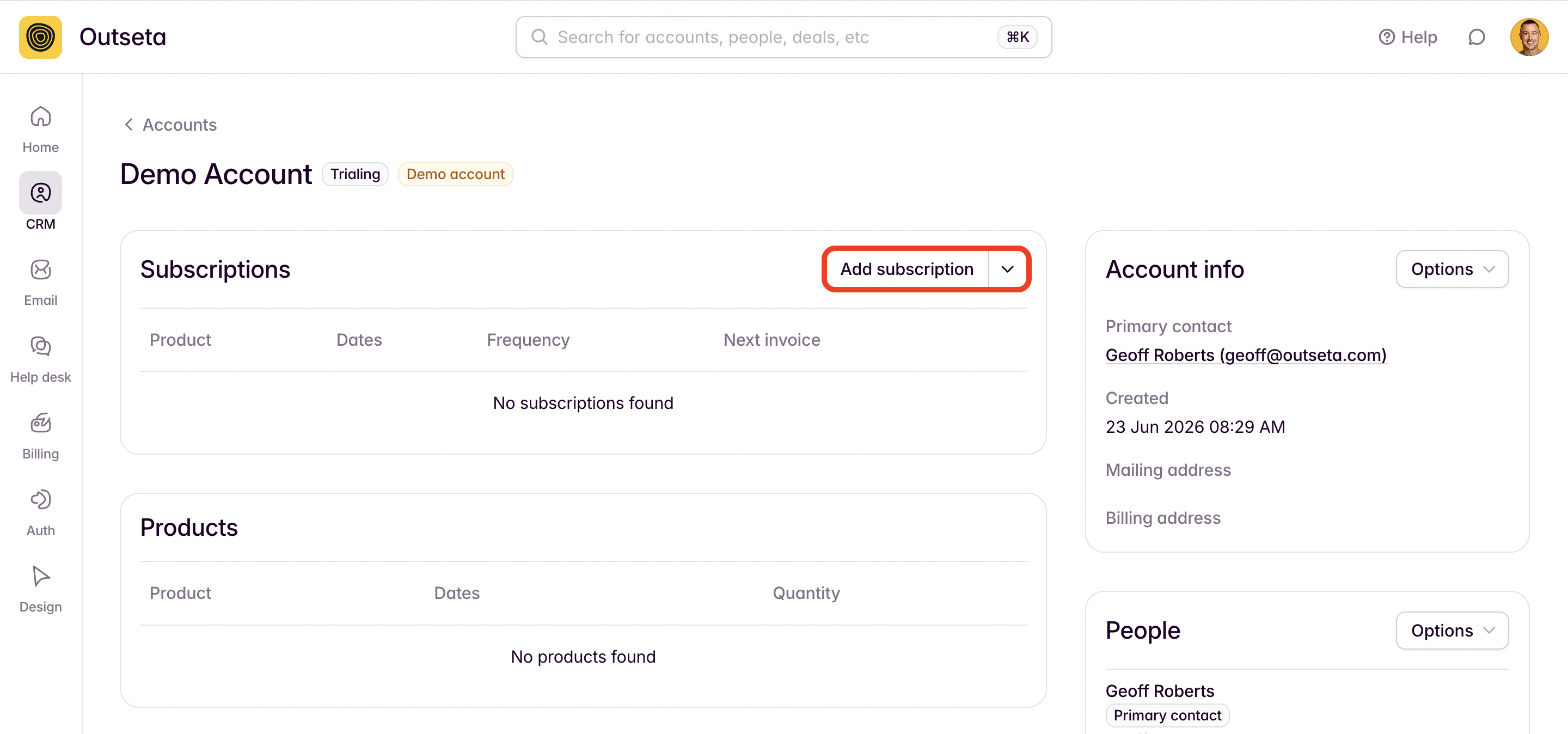
3. Once you've added the account, click ADD SUBSCRIPTION from the account record.
Add the product that you want the account to be subscribed to, as well as the 100% off coupon that you created in step #1.
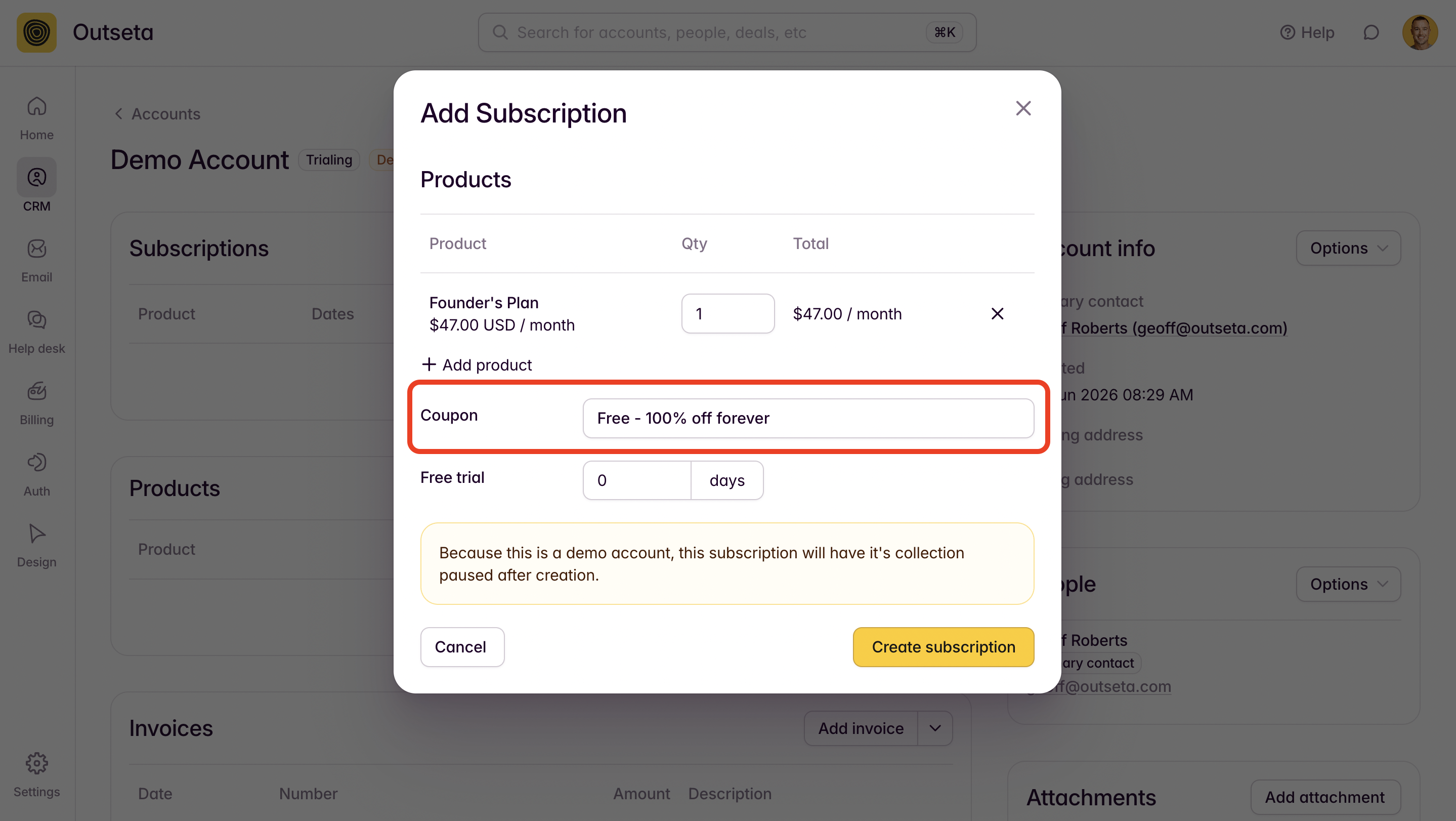
Click CREATE SUBSCRIPTION.
4. Back on the user's account record, you can then send them a confirmation email—this email will prompt them to set a password so they can login. Please note that the link in this email is only valid for 30 minutes.
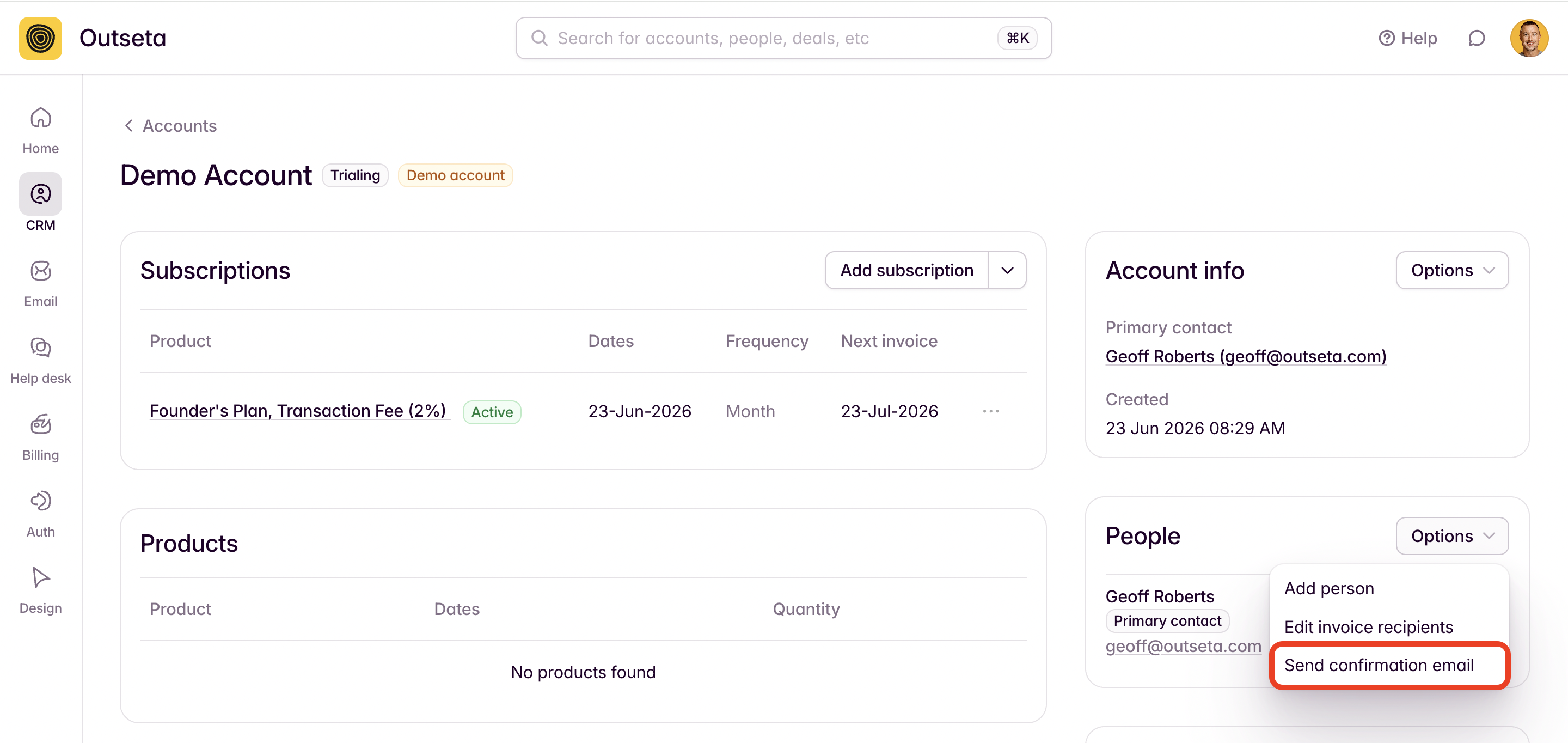
Alternatively, you can generate a temporary password for the user from their People record and email it to them. Temporary passwords to do expire.
That's it! You've given the user a free demo account for a paid plan.