
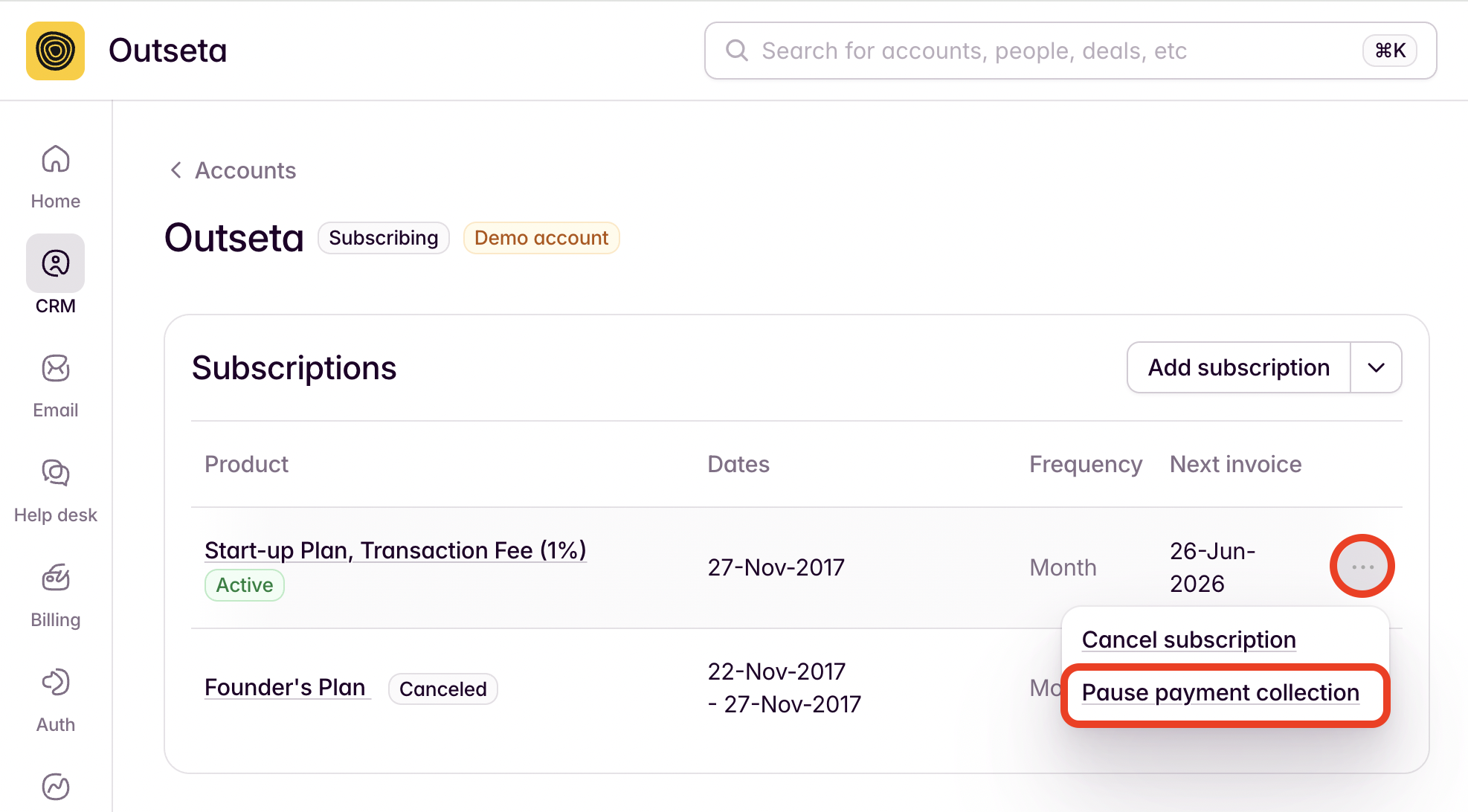
If you'd like to pause a subscription, start by navigating to the ACCOUNT record for the customer.
1. Click the three-dot menu next to the subscription, then PAUSE PAYMENT COLLECTION.
2. The subsequent modal will then allow you to choose if you want to pause payment collection for the subscription indefinitely, or until a specific date.
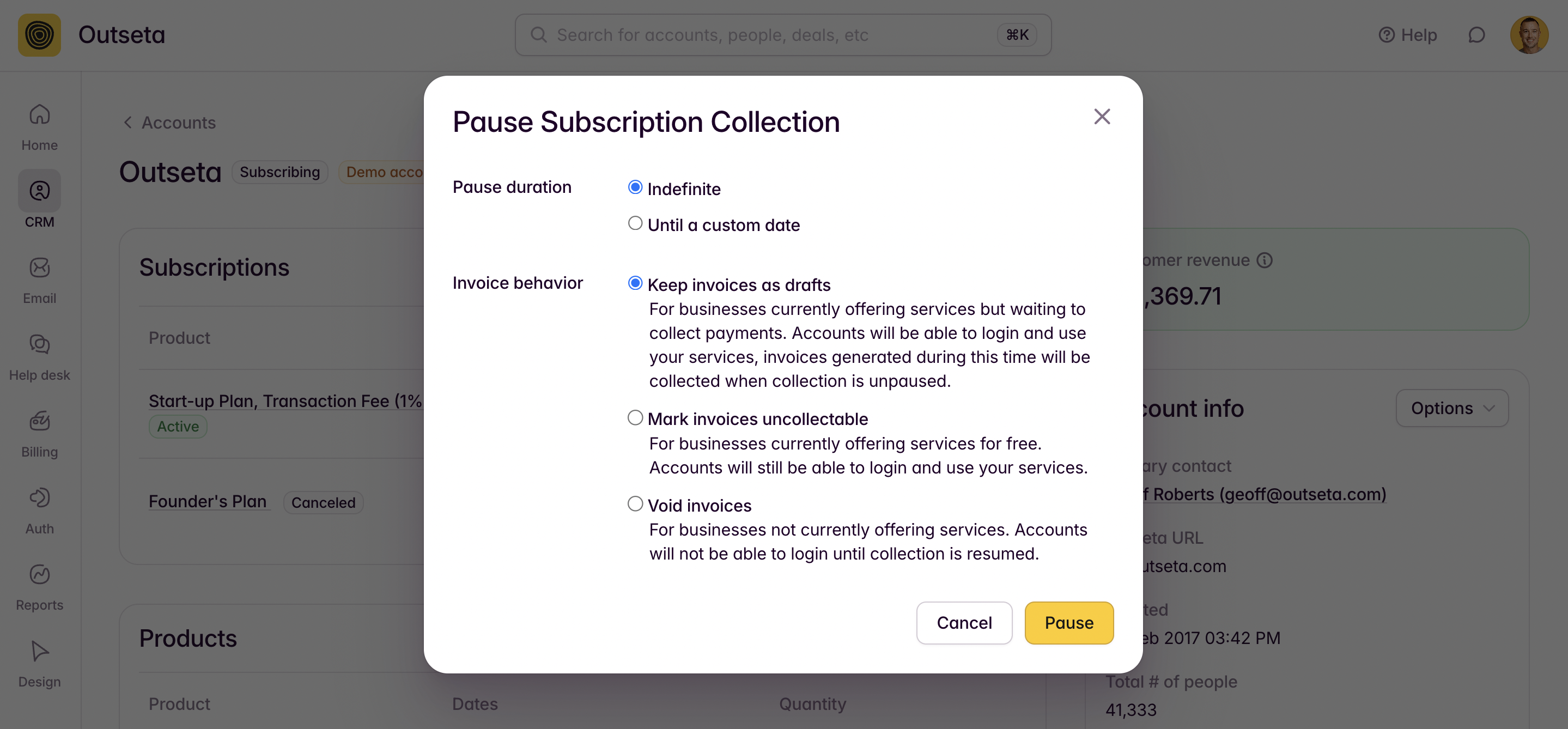
You can also choose how you'd like to treat invoices that are generated during the period for which payment collection is paused:
- Keep invoices as drafts—Choose this option if you'd like to eventually collect invoices generated while payment collection is paused. This options allows you to collect invoices once you choose to resume payment collection.
- Mark invoices as uncollectable—Choose this option is you don't intend to collect payments for invoices created while payment collection is paused. The customer can still login while payment collection is paused, but will not be expected to pay.
- Void Invoices—Choose this option if you'd like to void any invoice generated during the period in which payment collection is paused, and also ensure that the customer can't login.