Enable additional payment methods
Outseta supports Stripe's supported payment methods. This includes popular payment methods like credit cards, bank transfers, Apple Pay, Google Pay, iDeal, SEPA and more. A complete list of the payment methods that are available to you and their associated fees can be found here.
How many payment methods you choose to offer is up to you. While it may seem attractive to accept as many payment methods as possible, our general guidance (if you're looking for it) to enable as few payment methods as possible. If customers are frequently requesting a particular payment method, by all means add it. Otherwise offering fewer payment methods generally means that your site will have less complexity around payments and there will be a smaller number of payment related scenarios to account for.
Adding payment methods
1) To enable new payment methods, search your Stripe account for "Payment Methods." You can then click through to the SETTINGS > PAYMENTS > PAYMENTS METHODS page within Stripe.

If you're logged in to your Stripe account, you can access this page directly via this URL: https://dashboard.stripe.com/settings/payment_methods
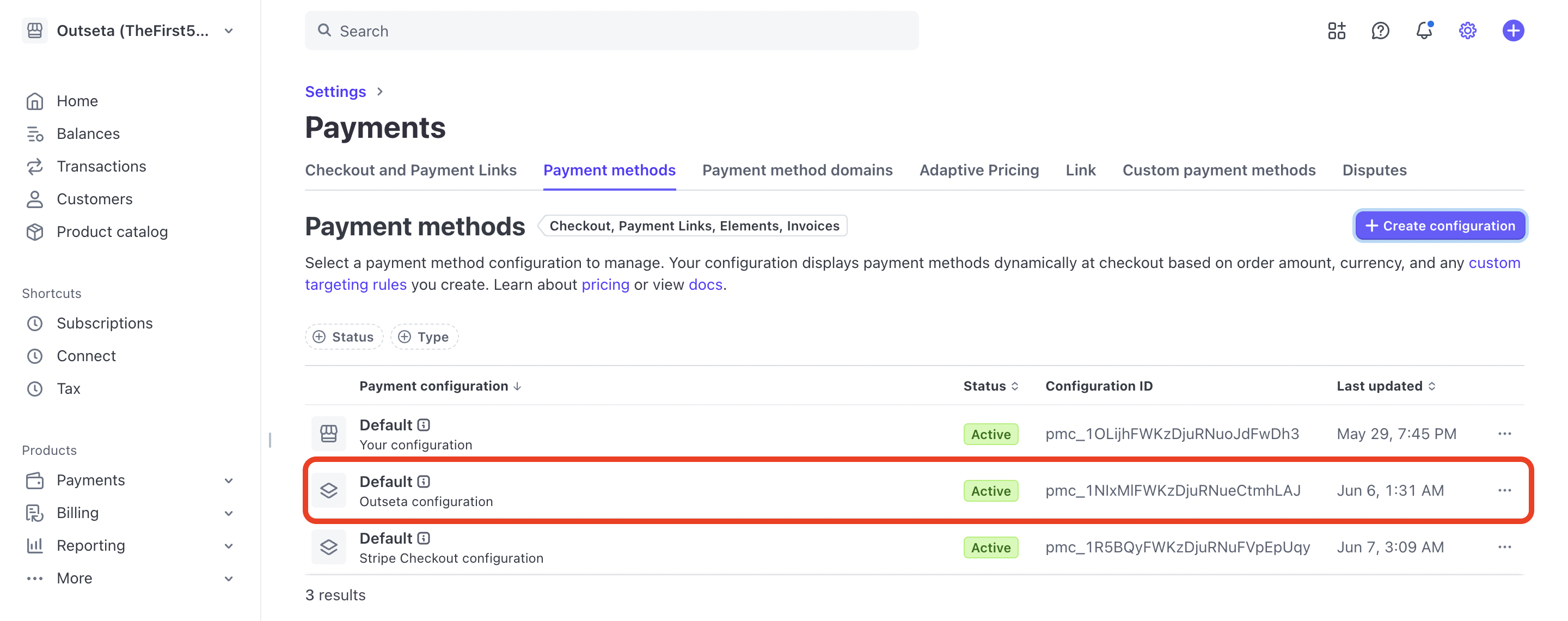
2) Make sure you choose the OUTSETA CONFIGURATIONS option. Your Stripe account contains payment method configurations specific to using Stripe directly, as well as specific to using Outseta—if the OUTSETA CONFIGURATIONS option isn't checked, you won't see the payment methods you've enabled at checkout.
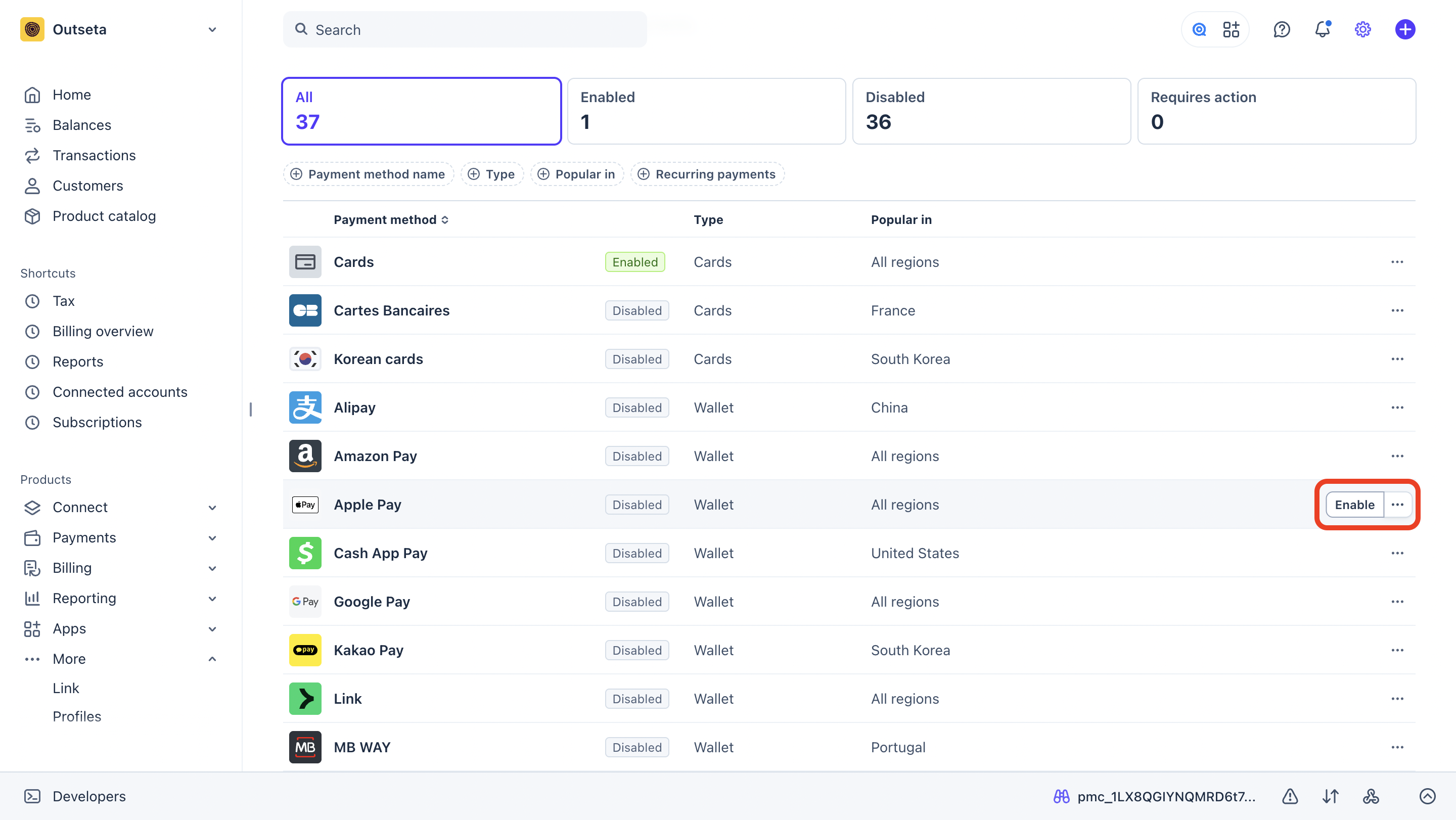
3) Next, click ENABLE next to any specific payment method. Follow any on-screen prompts as directed to setup each enabled payment method.
IMPORTANT: The payment methods displayed at checkout for any given user will vary depending on a number of factors including:
- The location of the customer
- The internet browser they are using
- The amount and type of transaction (one-time versus subscription based payments)
Stripe will automatically show the appropriate payment methods to the end user at checkout based on these factors.
Notes on specific payment methods
Google Pay
Google Pay will only display for users using Google Chrome as their internet browser.
Apple Pay
Apple Pay will only display for users using Safari as their internet browser.
Link
Link is a popular payment method that stores your credit card details, allowing you to populate checkout forms with your card details in a single click. Stripe reports that Link effectively boosts conversion rates, while other users had found it to be distracting. If you with to disable link, here's how to do so.
Paypal
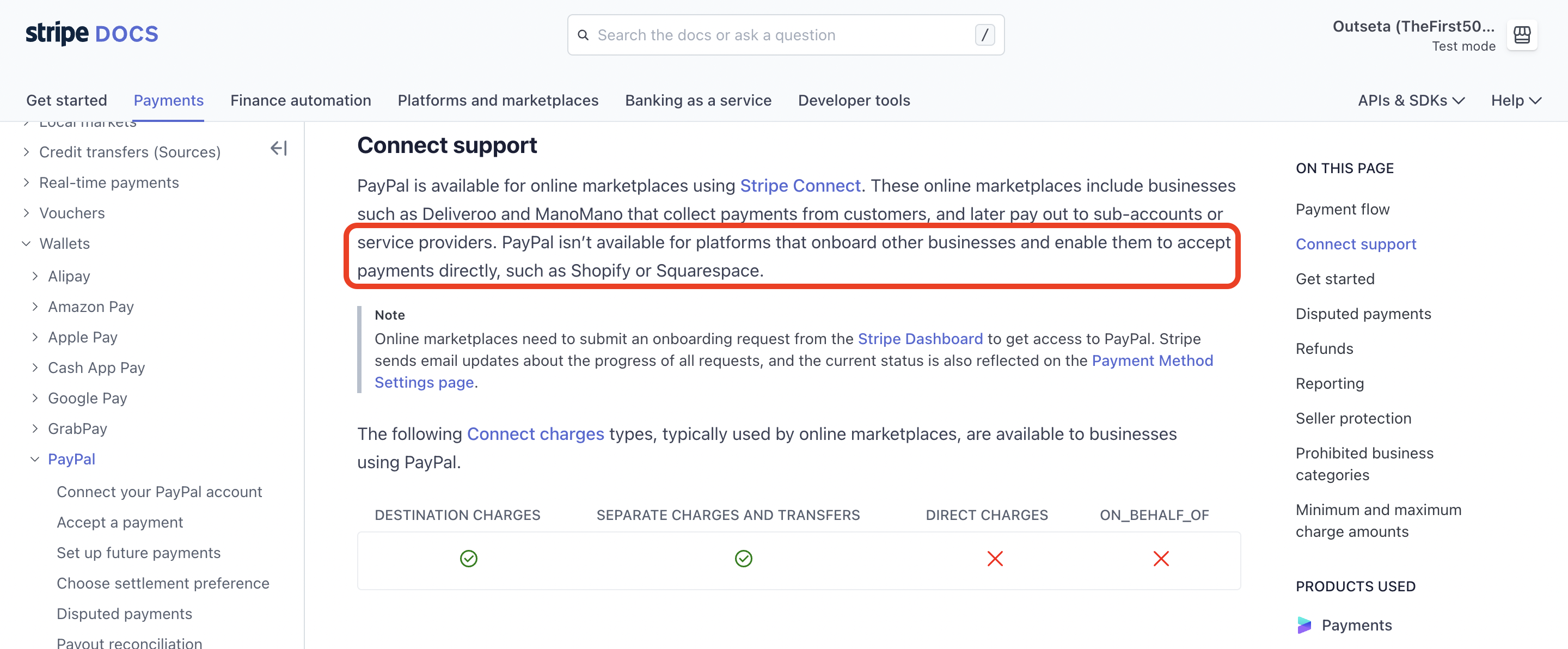
Paypal is not currently available as a payment method to companies like Outseta, that enable payments for other businesses. All other payment methods offered by Stripe are supported. More here.