
If you want to manually create an invoice to charge a customer for an ad-hoc charge, you can do so from within Stripe:
Prerequisite: In to do this, the customer must have a Customer record in Stripe and an Account in Outseta. Assuming both existing, the invoice and payment will automatically be associated with the user's Account record in Outseta.
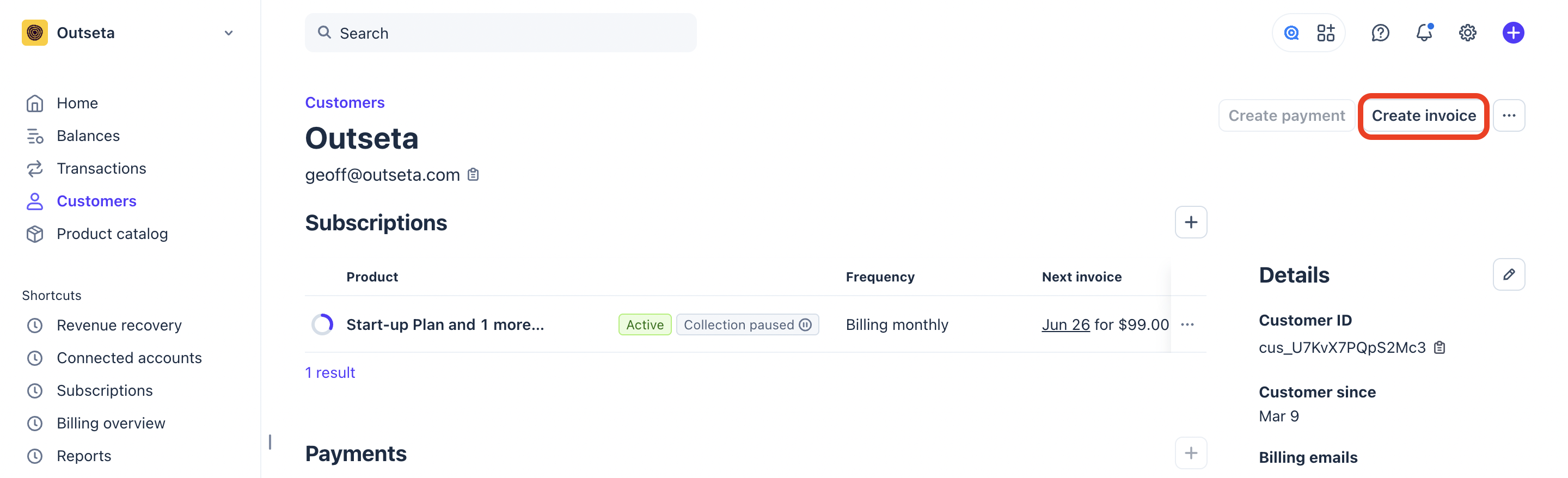
1. Start by searching for (or creating) the user's Customer record in Stripe. Once you've pulled up their customer record, click CREATE INVOICE.
2. Choose from your existing products, or click Add Line Item to create your own new line item on the invoice. You'll always see a preview of the invoice on the right hand side of the page.
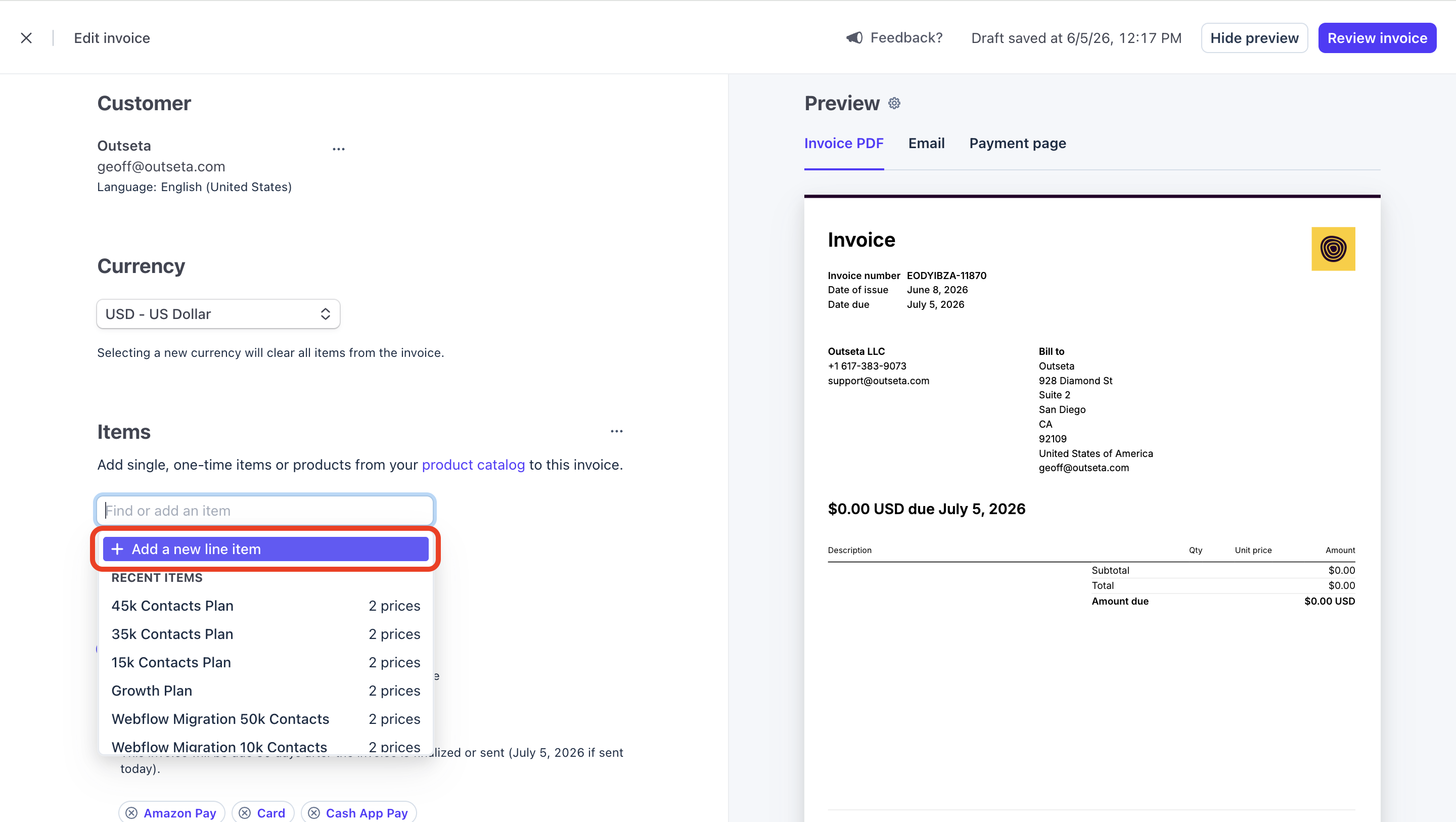
Once you've added you items, click SAVE.
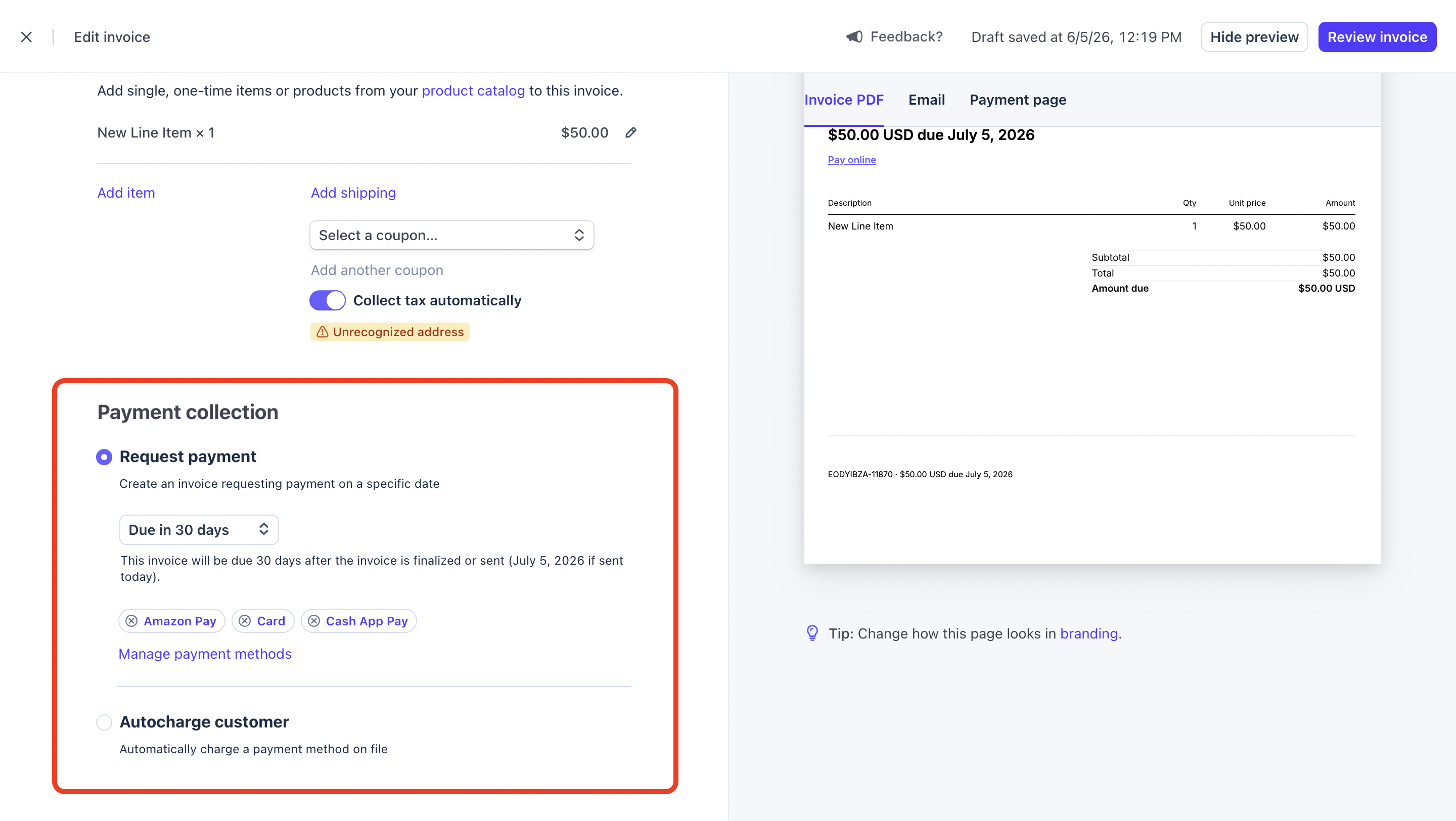
3. In the Payment Collection section choose when the payment is due, or if you want to automatically charge the customer on the payment method that's on file.
When everything looks good, click REVIEW INVOICE.
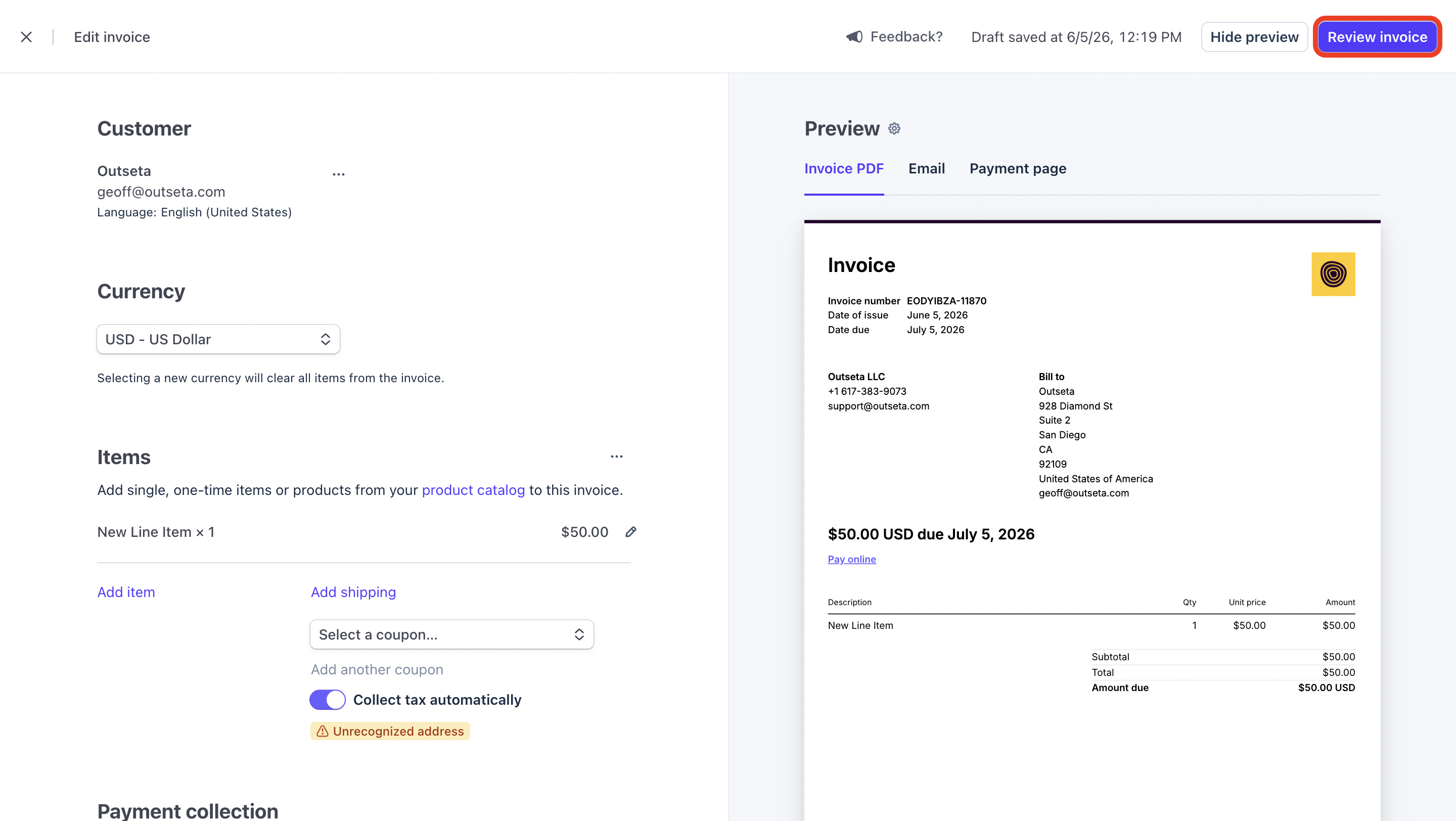
4. Choose who the invoice is being sent to. When you're ready, click FINALIZE AND SEND to email the invoice to the customer.