
Outseta allows you to easily offer free trials—a period prior to a paid plan where users can access your product or site for free. To configure a free trial:
1. Go to BILLING > PRODUCTS and click ADD PRODUCT. As you are configuring your plan, slide the OFFER FREE TRIAL toggle to on.
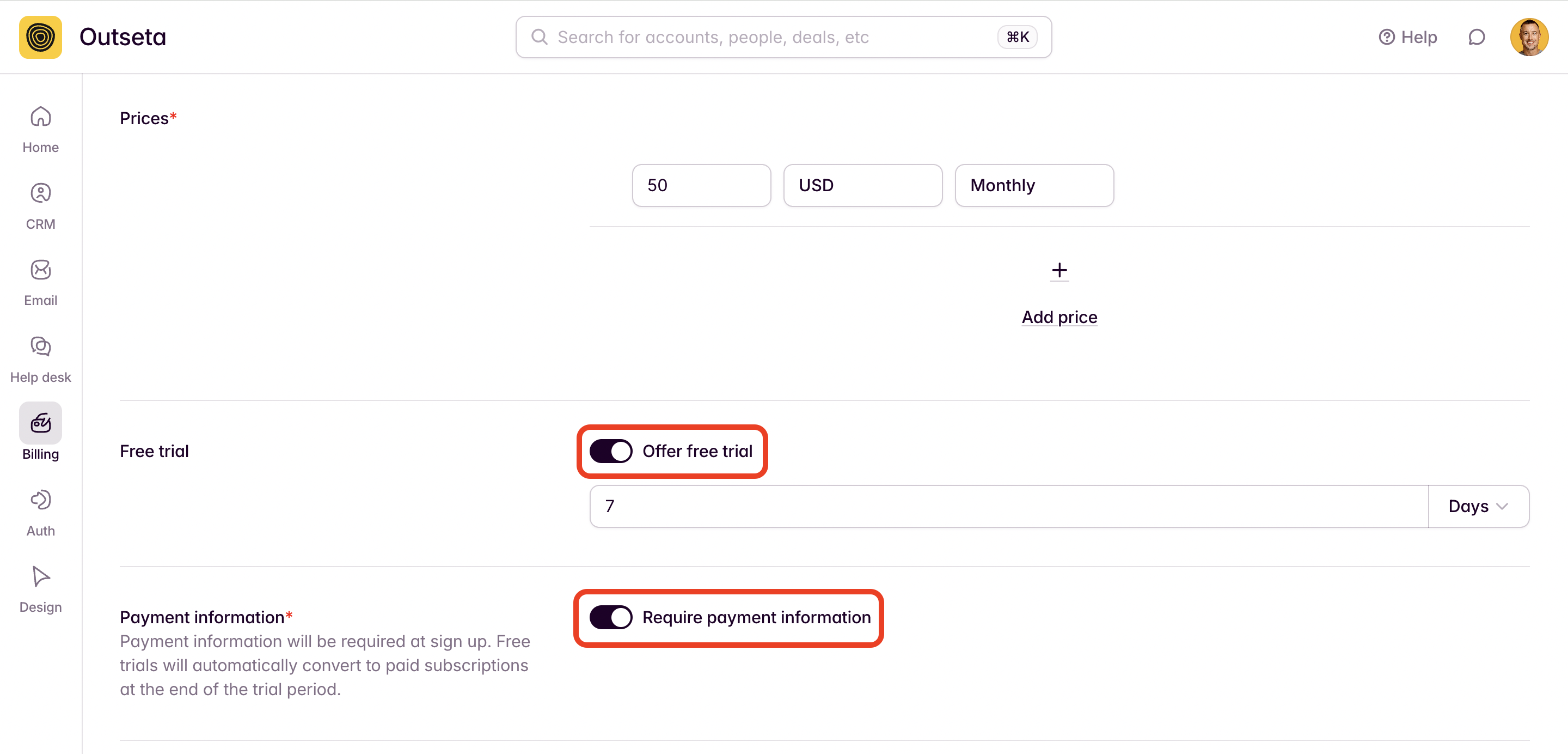
Free trial periods can last a specific number of days or can run until a particular end date. In the example above, a 7-day free trial is configured.
2. The REQUIRE PAYMENT INFORMATION toggle immediately below the free trial toggle is also of particular importance.
- If toggled OFF, users will not be asked for payment information when starting a trial. At the end of the trial period, the account will move to a "Trial Expired" billing stage. If users try to login after their trial has expired, they'll be prompted for payment in order to continue.
- If toggled ON, users will be asked for payment information in order to start their trial. When the trial period ends, the user will automatically start a paid subscription and will be charged on the payment method entered at the beginning of the trial.
3. You can also setup automated email messages to go out during the course of your free trial. A good way to trigger these emails is by creating a segment using the conditions:
Account Billing Stage = Trialing
When a user signs up for a free trial they'll be added to this segment, which can then trigger a drip email campaign.
Ending a free trial to start a paid subscription early
Outseta offers an API that allows you to end a free trial period early and start the user's paid subscription. This allows you to build your own "end trial, start paid subscription now" type of call-to-action button.
To do so, call the following API endpoint:
POST /api/v1/crm/accounts/[accountUid]/start-subscription