
There are three ways to associate a subscription with an account:
- Outseta's sign-up embed
- Manually subscribing the account from within Outseta
- Manually subscribing the account from within Stripe
Subscribing via Outseta's sign-up embed
Outseta's sign-up embed can be triggered to open as a pop-up, embedded directly onto a page, or sent via a payment link as well. It allows users to select from your subscription options, sign up, and also creates an Account for your new customer in Outseta.
For more information on integrating the sign-up embed with your website, please follow the steps outlined in this article and check out the sign up form configuration tool at AUTH > EMBEDS > SIGN UP.
Subscribing an account manually from within Outseta
To manually subscribe an account, follow the steps outlined below. Please note that you must first setup product within your Outseta account.
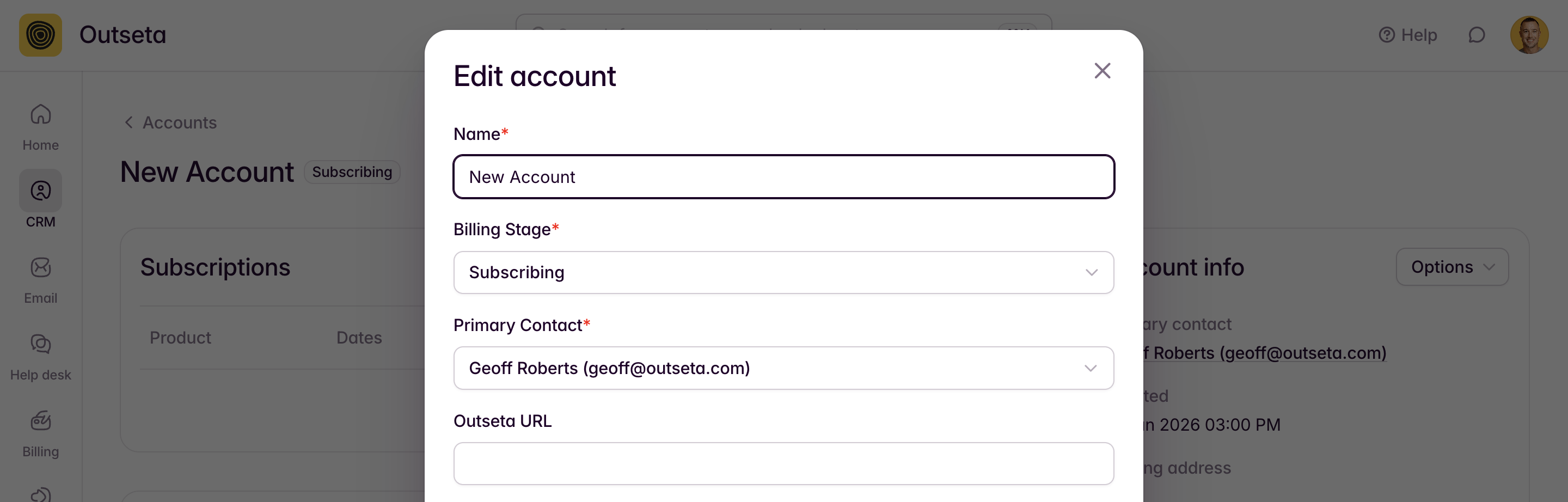
1. Select CRM > ACCOUNTS from the left hand side bar. Give the account a name, assign any billing stage, and add a primary contact. Click SAVE.
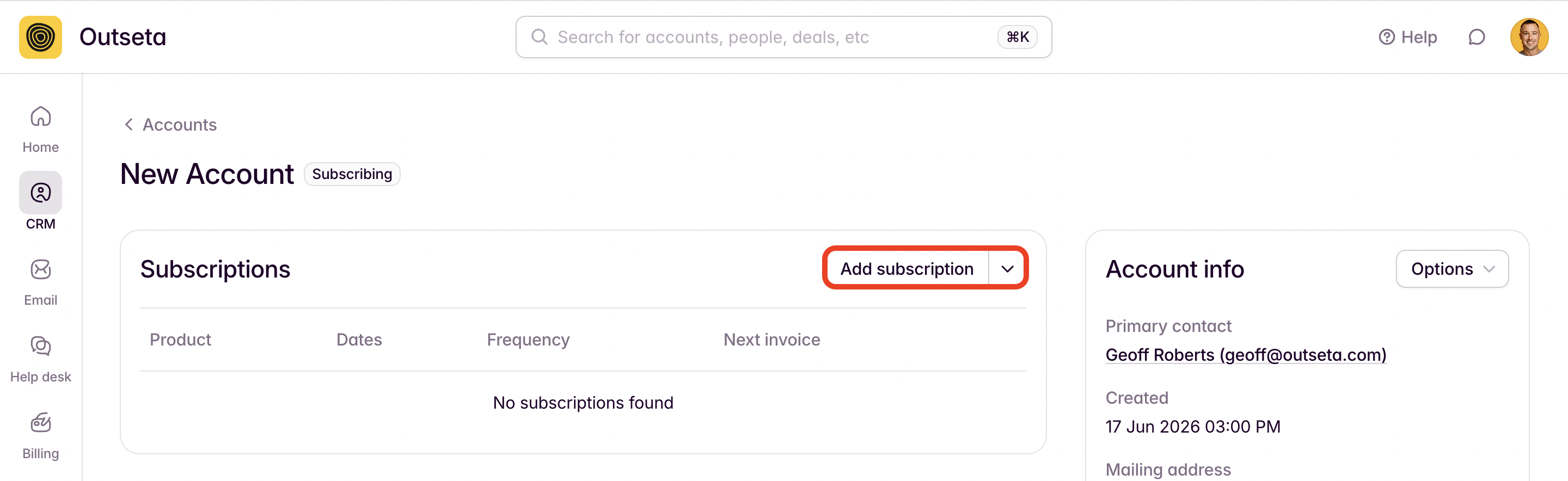
2. On the subsequent screen, click ADD SUBSCRIPTION.
3. Choose the product you want to subscribe the use to. Click CREATE SUBSCRIPTION.
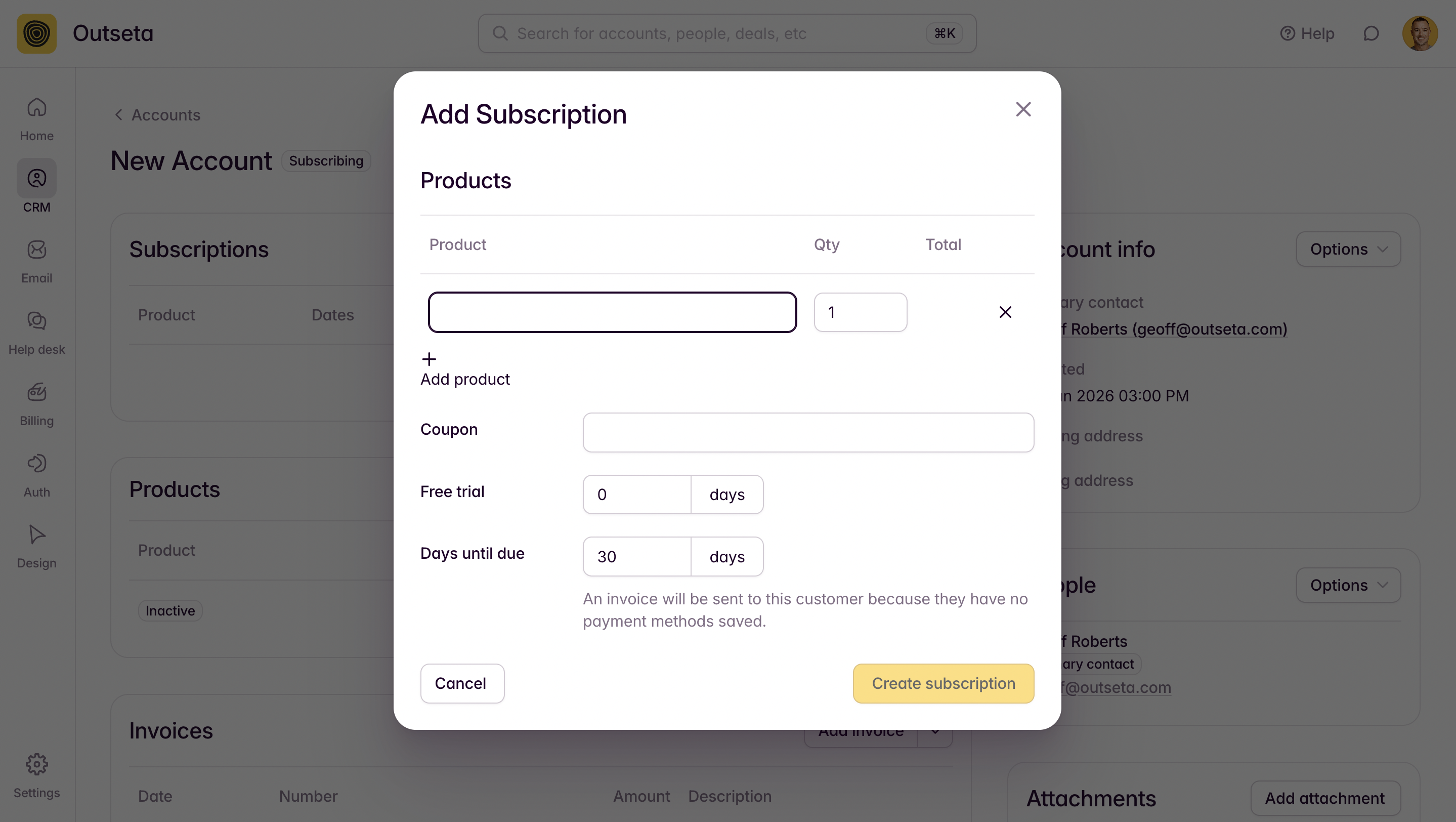
NOTE: If you manually add a subscription for a customer, it's likely that their payment information is not on yet file with Outseta. In this case, you can use the DAYS UNTIL DUE field to specify how many days the customer has to pay the invoice. The invoice will be emailed directly to the customer for payment.
4. You can then select SEND CONFIRMATION EMAIL to send the user an email prompting them to set a password so that they can login to their new account.
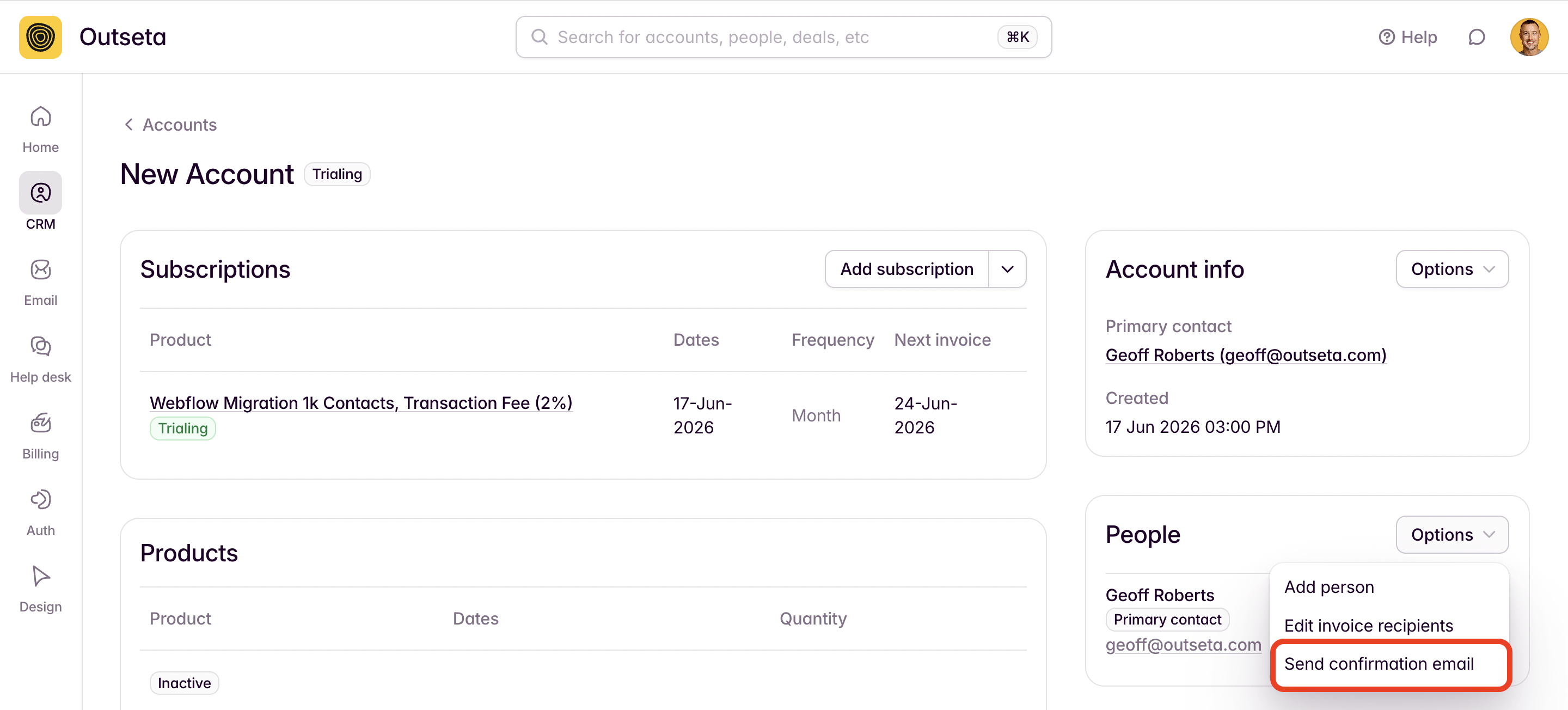
Alternatively, you can visit the user's PERSON record in Outseta to generate a temporary password that you can then send to them via email.
Subscribing an account from within Stripe
You can also subscribe an account from directly within Stripe—however, this will only work for existing customers that already have an ACCOUNT in Outseta and a CUSTOMER record in Stripe.
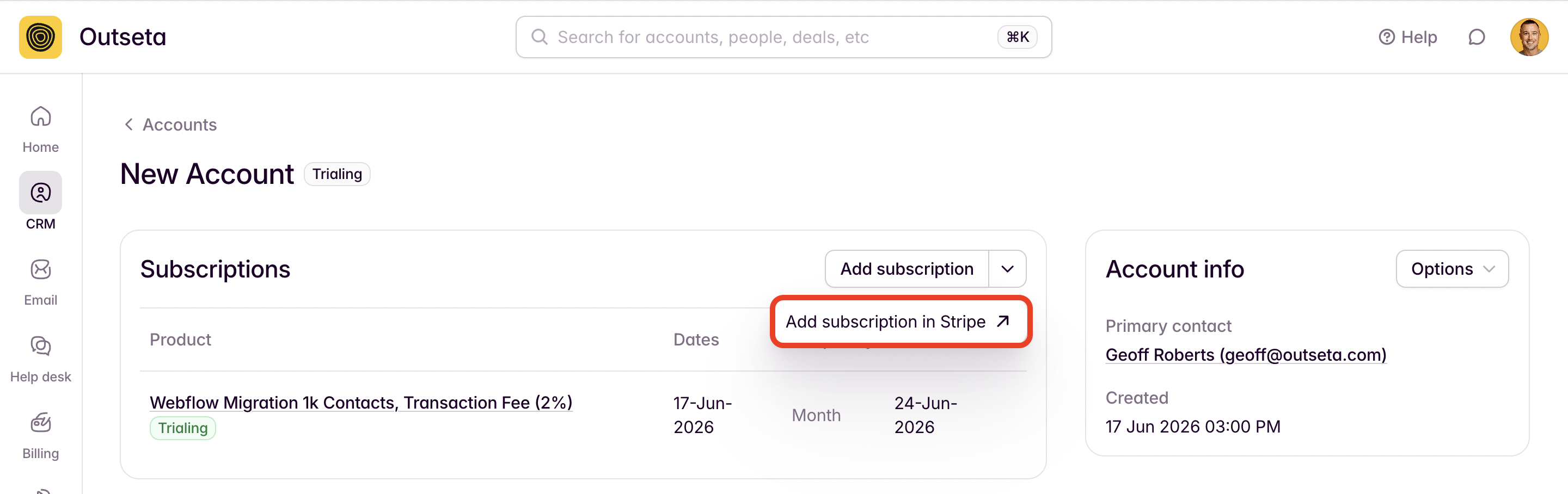
You can add a subscription for a pre-existing customer in this scenario by choosing ADD SUBSCRIPTION IN STRIPE from their ACCOUNT record.
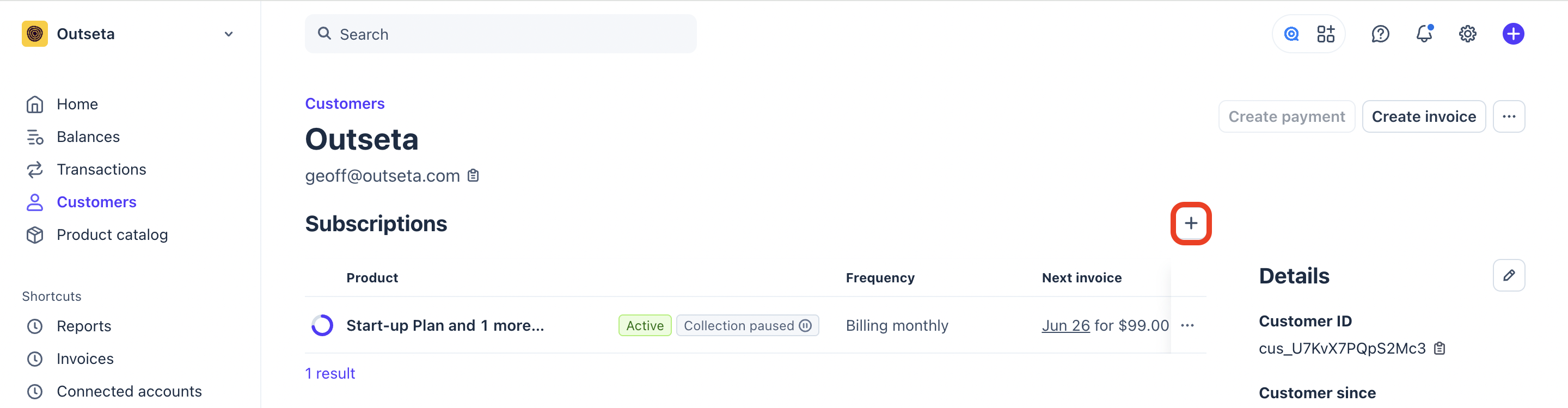
Or by navigating to the CUSTOMER record for the user in Stripe and clicking the "+" symbol to add a new subscription.
For additional documentation on adding subscriptions in Stripe, please refer to: Create Subscriptions