
You can create coupons in either Outseta or Stripe to offer discounts on invoices, subscriptions, or entire customer accounts. Coupons can be either:
- % off discounts
- Fixed amount discounts
To set up a coupon, follow the steps outlined below.
Creating coupons in Outseta
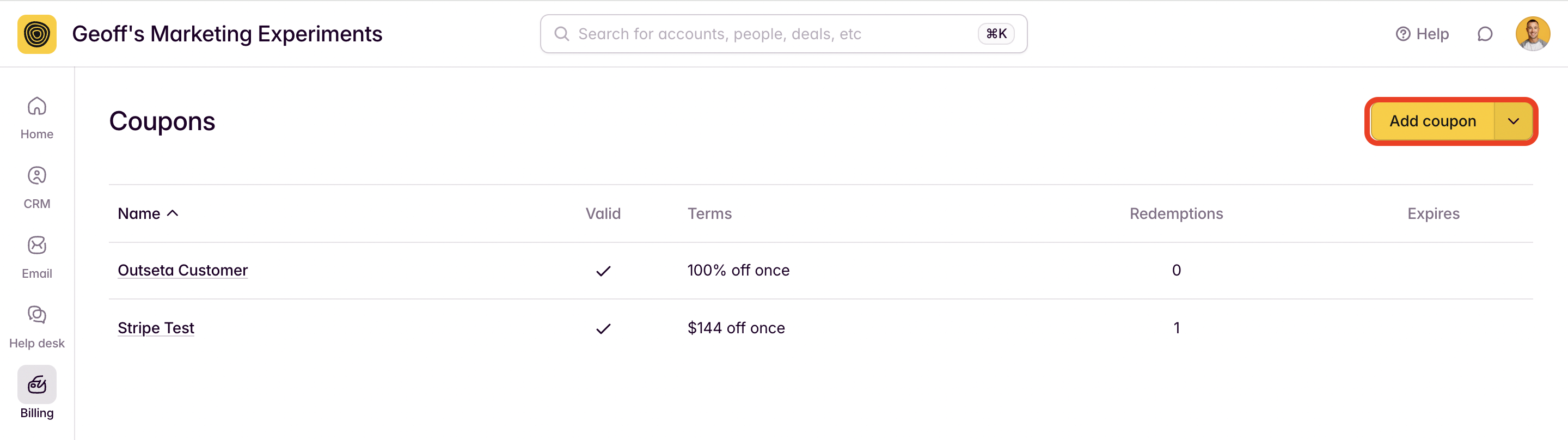
1. Click BILLING > COUPONS from the left hand navigation. Click ADD COUPON.
2. In the example below I've setup a 50% off discount that will be applied to the first 3 months of a subscription period. Customers would enter the code "Friends" at checkout to redeem this discount.
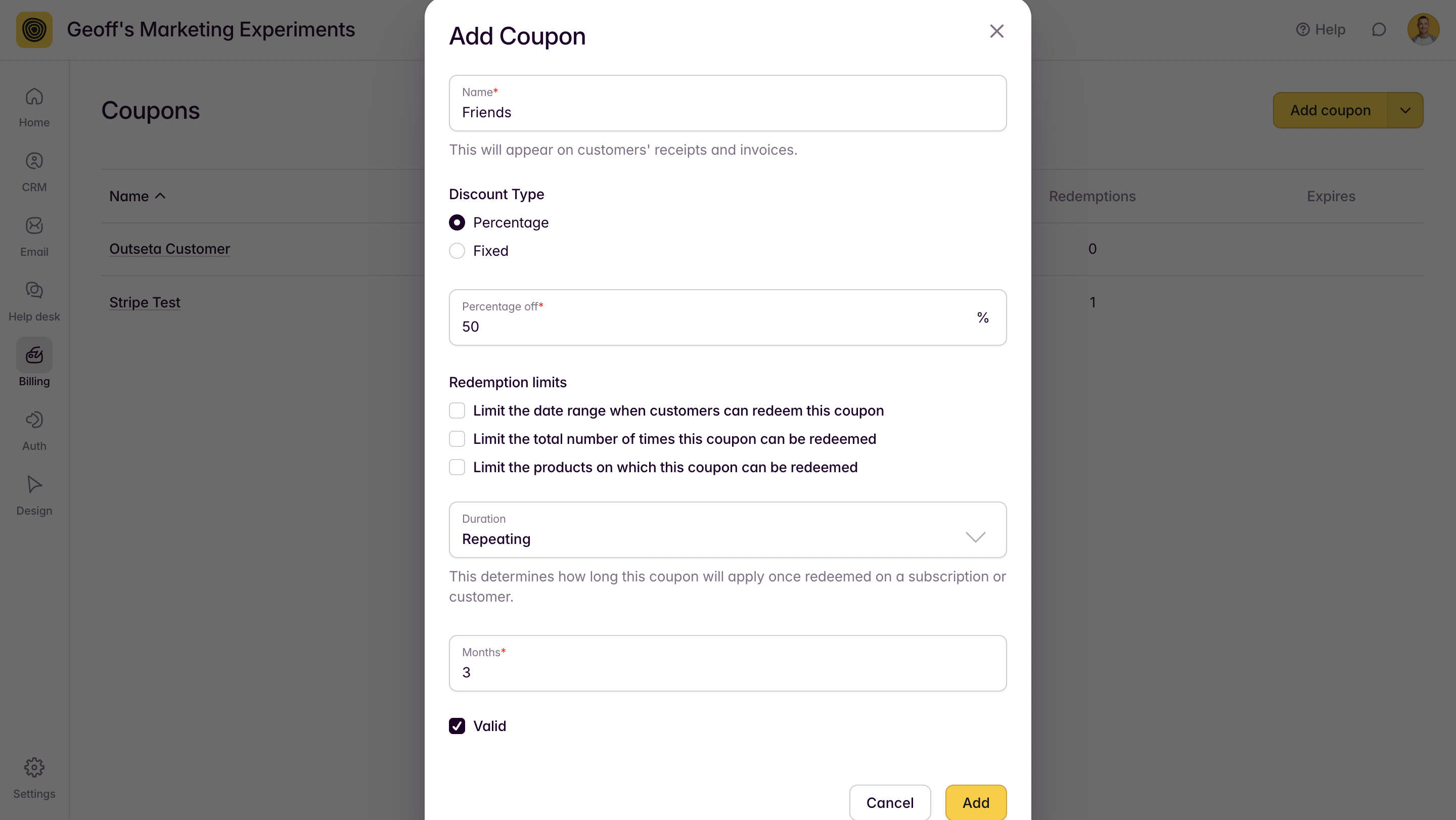
Configuration options include:
- Redemption limits—This allow you to set limits on when a discount code can be redeemed, the number of times it can be redeemed, or the plans on which it can be redeemed.
- Duration—The duration of the discount can be once, repeating, or forever. If repeating is selected, this is the number of subscription periods that the discount will be applied to. For example, a monthly subscriber would receive the discounted rate for the first 3 months of their subscription.
Once you've configured your discount, click ADD.
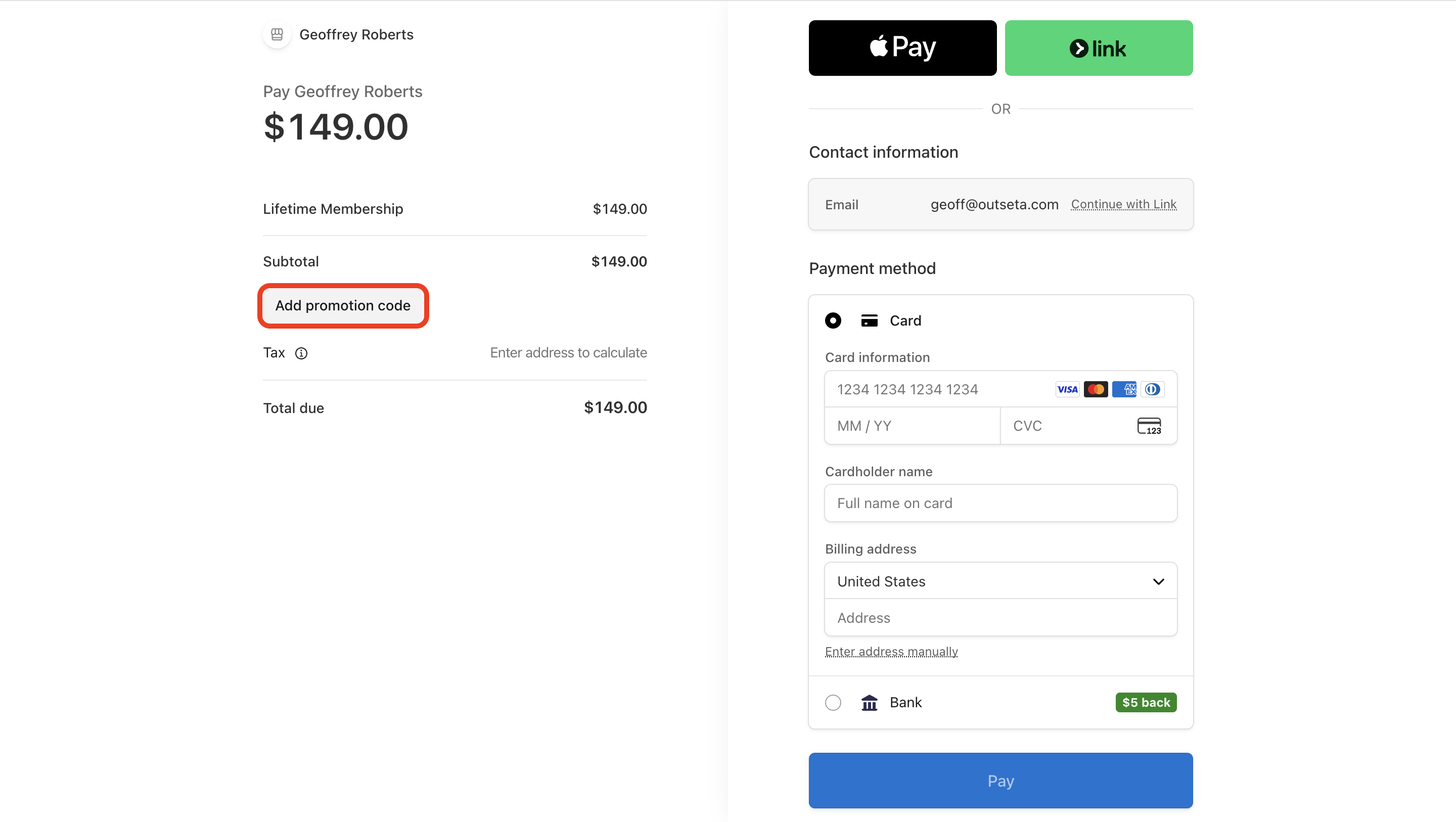
3. Provide the Code for your coupon to your customers—they can enter it at checkout.
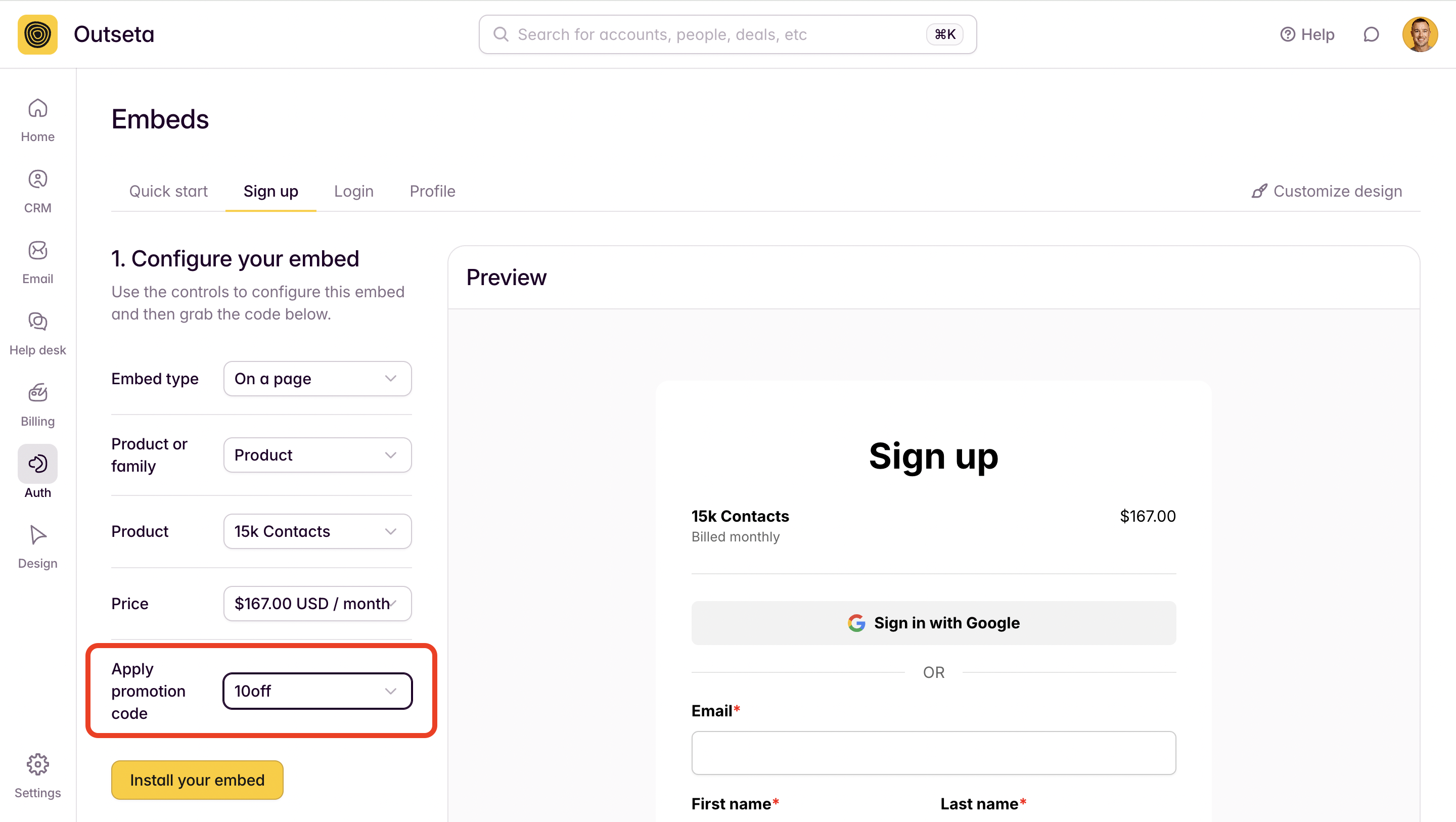
 You can also automatically apply a coupon code to your sign up form using the configuration tool found on the AUTH > EMBEDS > SIGN UP page.
Finally, you can also apply discount to a customer's subscription or invoice from within Stripe.
Creating Coupons within Stripe
You can also create coupon codes from directly within Stripe—Stripe's UI generally offers some additional configuration options for more advanced use cases. Here's Stripe's documentation on Coupons and Promotion Codes.
1. To create a coupon in Stripe, click PRODUCT CATALOG > COUPONS > CREATE COUPON.

2. You can go to BILLING > COUPONS within Outseta and click ADD COUPON ON STRIPE.

The SYNCHRONIZE COUPONS option can also be used to manually sync coupons between your Outseta and Stripe accounts any time.