
You can process full or partial refunds in any amount directly from within Outseta.
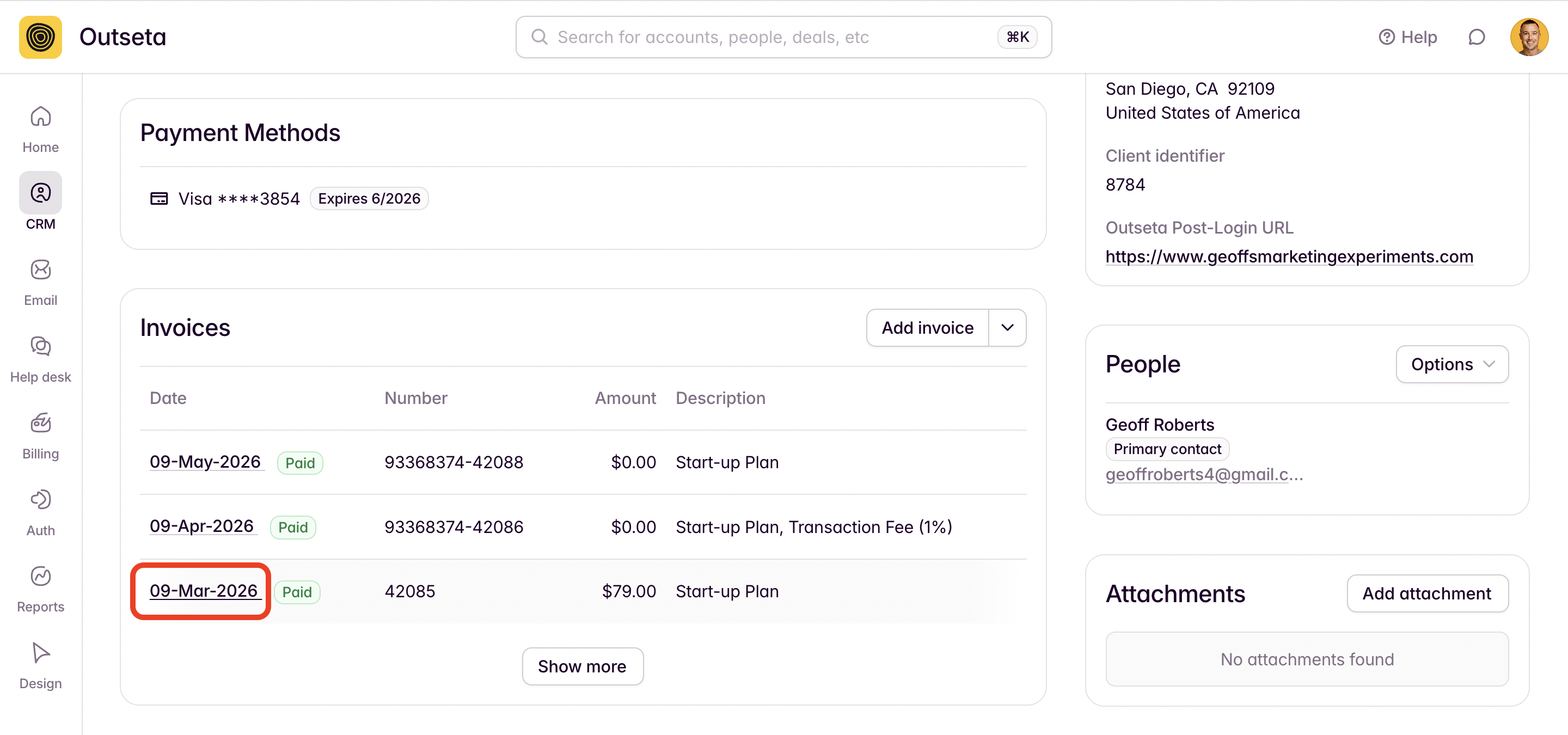
1. Navigate to CRM > ACCOUNTS and find the account that you want to refund. From the INVOICES section of the account record, you can open whatever invoice you want to refund by clicking the date of the invoice.
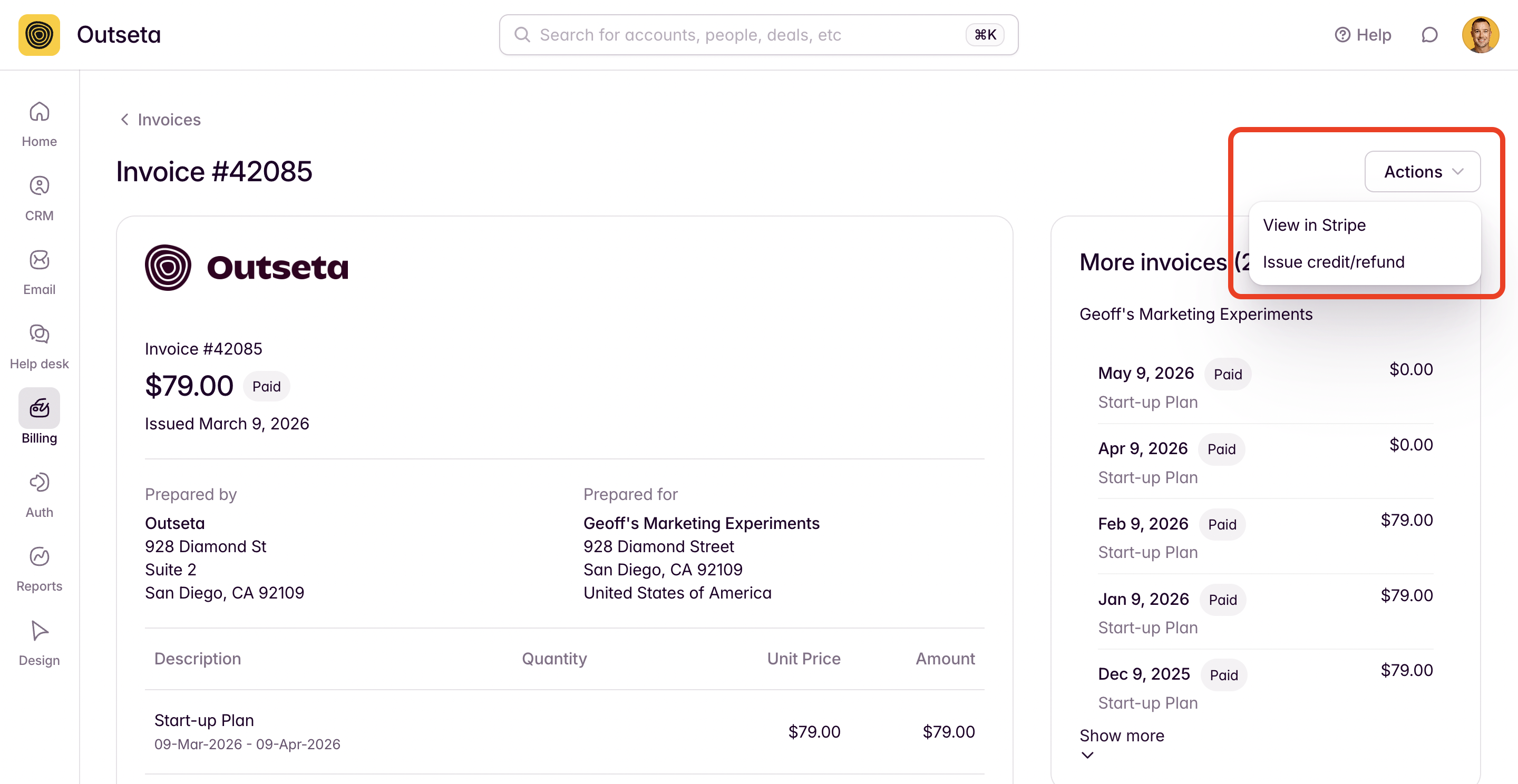
2. Once the invoice has been opened, click the ACTIONS menu and then ISSUE CREDIT/REFUND.
3. Enter a reason for the refund, the amount that you'd like to refund, and how you'd like the refund to be returned to the customer.
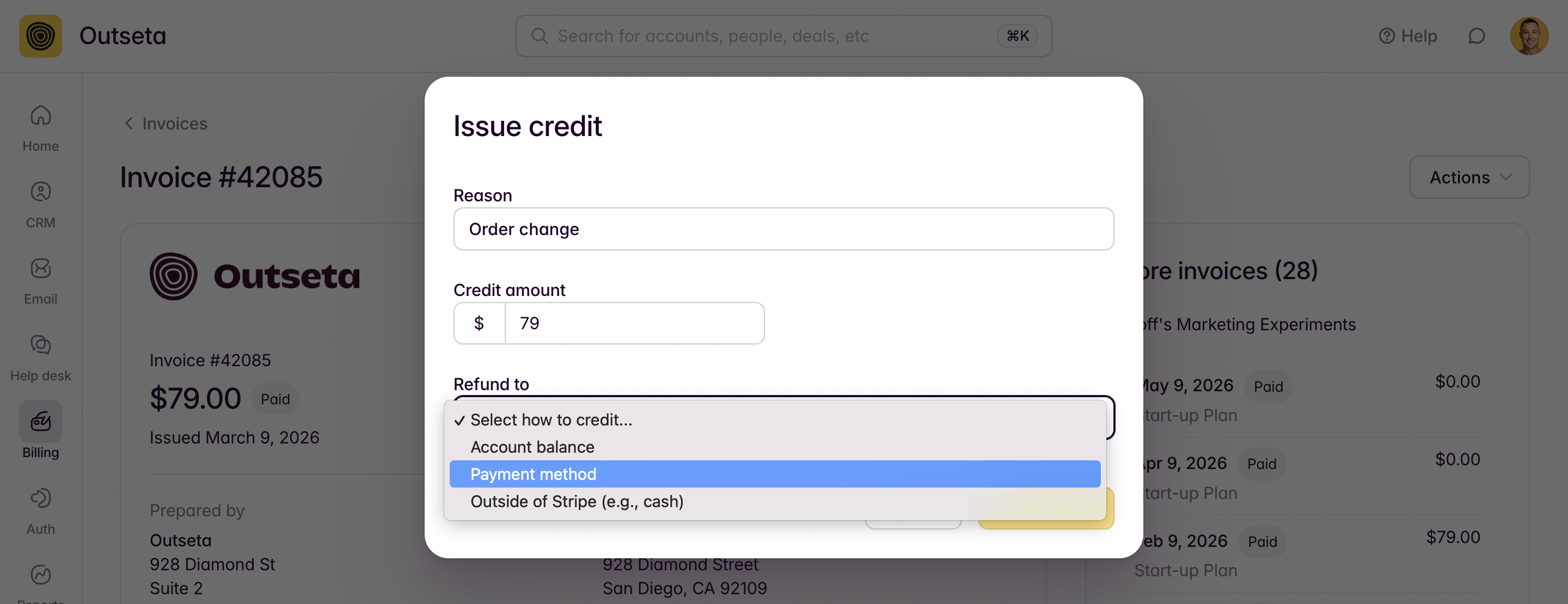
Reasons:
- If one of the other reasons for the refund is not an obvious fit, select ORDER CHANGE as the reason.
Refund to:
- Account balance: The refund will be processed as a credit on the customer's balance in Stripe.
- Payment method: Funds are returned directly to the payment method with which the initial charge was made.
- Outside of Stripe: This is typically used to indicate that you refunded the customer in person, outside of Stripe.
Once these values have been selected, click ISSUE CREDIT.
Refunds will be returned to the customer's bank or card issuer within 5-10 business days.