
Editable quantity pricing gives the customer an input box at checkout where they can elect to purchase "X" number of "units" of something. This pricing model can be used both for one-time and recurring charges.
For example, you might want to charge:
- $50 per event ticket (a one-time fee charge, but the user can elect to buy X number of tickets)
- A property manager might charge $10 per month per rental unit managed (where X is the number of rental units they manage)
Follow the steps below to setup an editable quantity pricing plan.
1. Select BILLING > PRODUCTS from the left hand side bar. Click ADD PRODUCT.
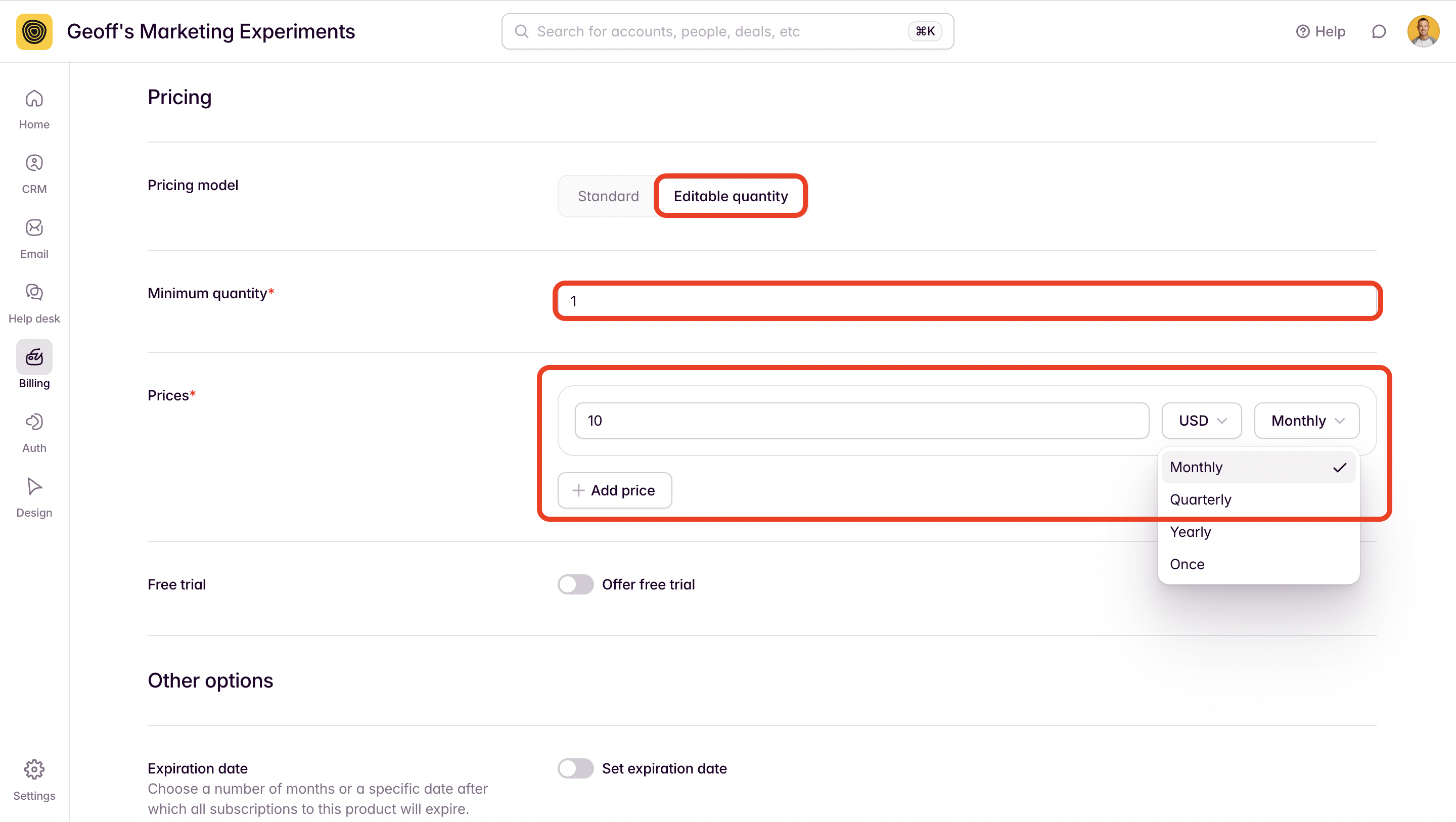
2. Give your product a NAME and select EDITABLE QUANTITY as the pricing model.
You'll also want to add a minimum quantity (this is the smallest quantity that you allow to be purchased) as well as a price and payment term for the product.
In the example below, I've set a minimum quantity of "1" and the product being purchased is a subscription based product that's $10 per month per unit.
4. Click ADD.
5. To preview the checkout experience, go to AUTH > EMEBDS > SIGN UP. You can use the configuration tool here to build a sign up form for your editable quantity plan.
On the first step of your checkout, users will see the price of the product and will be asked for the information that you request on your sign up form.
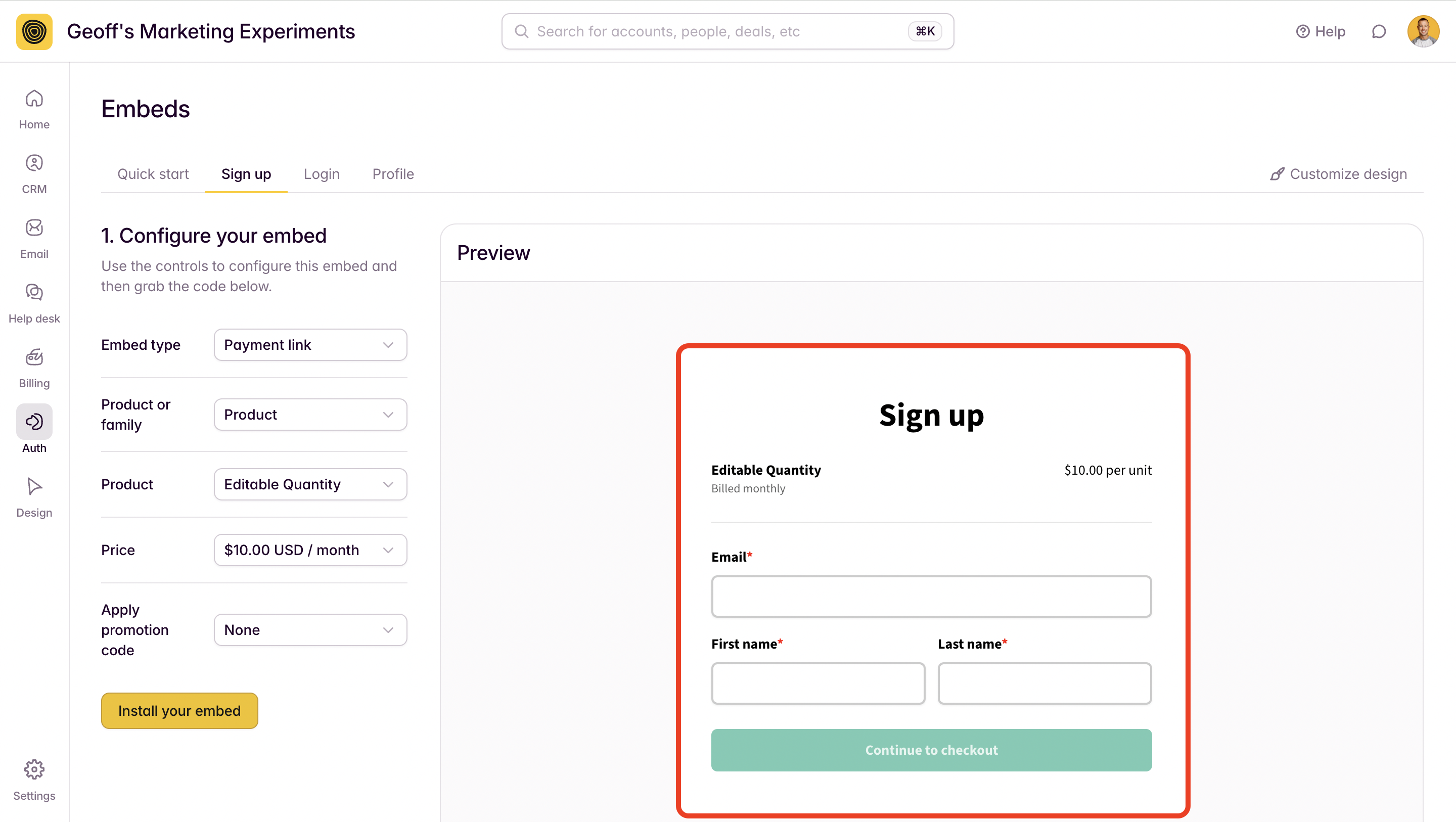
After completing this initial information and clicking CONTINUE TO CHECKOUT the user will land on a checkout page where they can edit the quantity that they want to purchase.
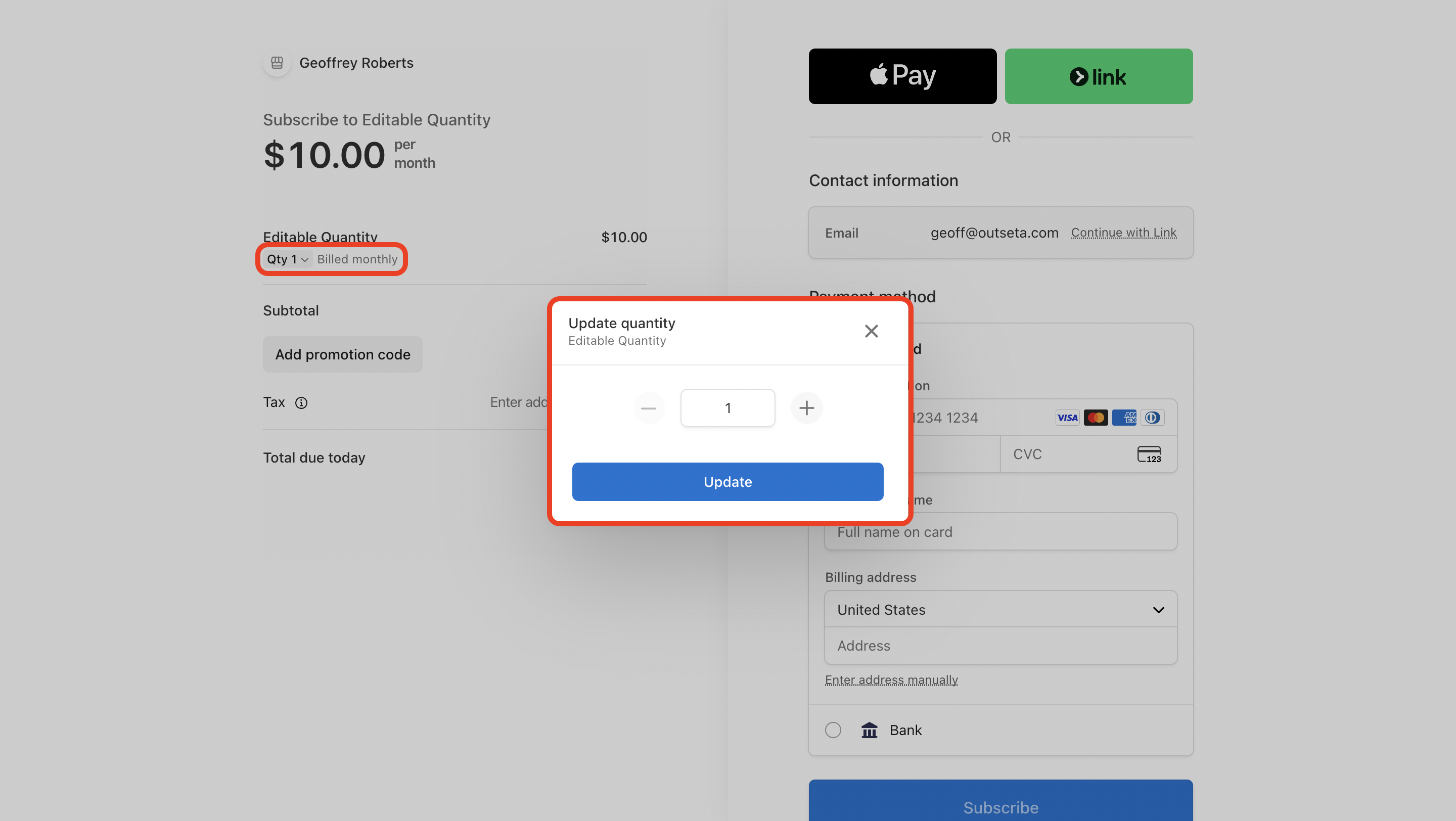
Enter the quantity that you wish to purchase, then click UPDATE.
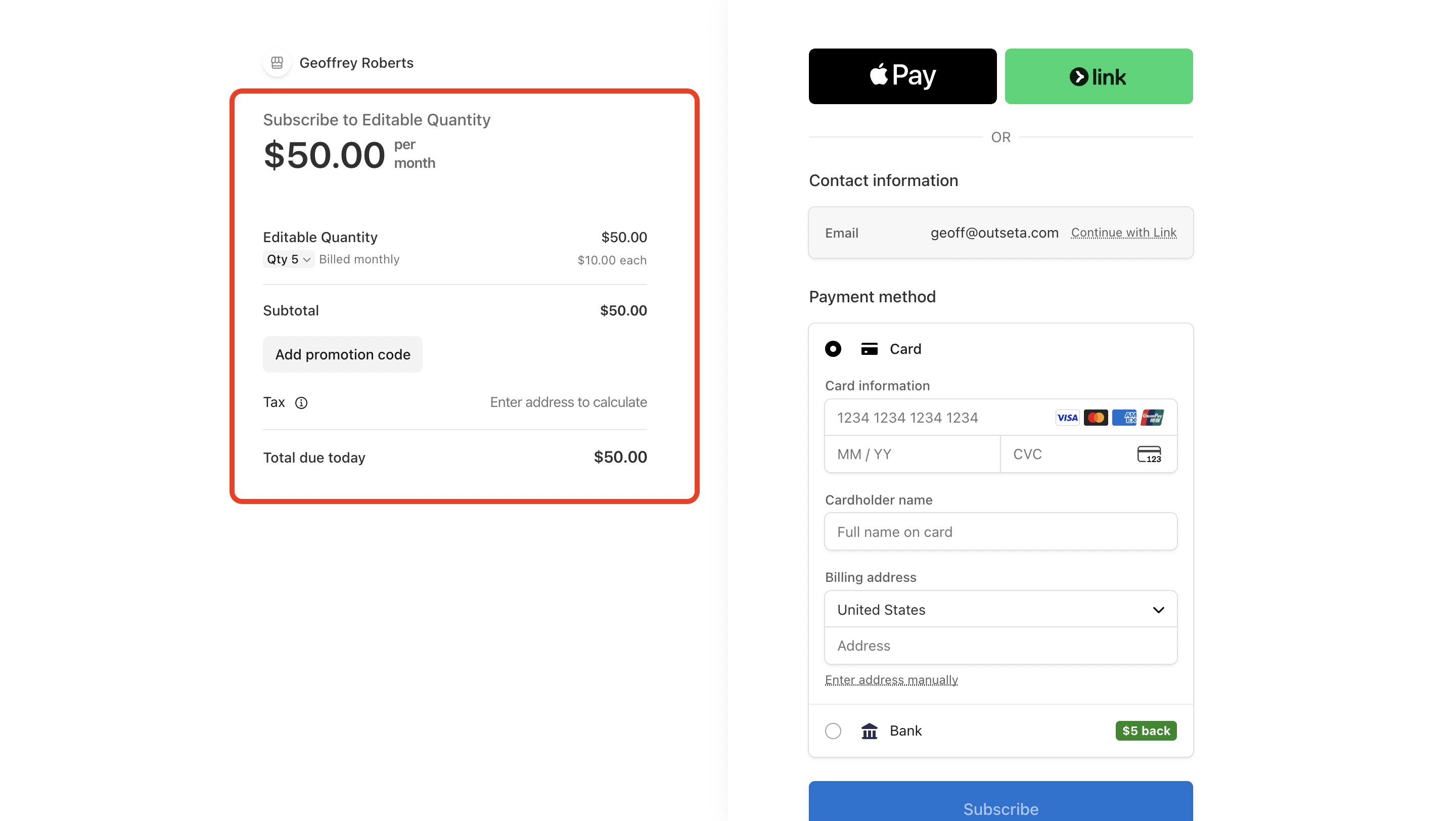
In this example the user has increased the quantity to 5 for a product that's $10 per month per unit. The effective monthly subscription rate is $50 per month based on the 5 units purchased.